Connect and check Shopify
Connect through the app or custom-app setup guide. Keep products, variants, customers, collections and orders with the correct Shopify store.
 OnlinePOS.app
[email protected][email protected]Both addresses reach the same support team — email either one.
Start freeConnect one or several Shopify stores to your POS products. Manage stock, customers and imported orders together.
Made in South Africa. Built for the world.
 OOXFLOWSHOP STOCK
Publish linked variants and route inventory through your location settings.
A simple look at the main tools. Full details and setup steps are below.
Keep your existing Shopify shop. The quick price edit changes the first variant only. Choose products and settings before sending updates.
Compare all connectionsRead Shopify records, choose which products appear and send stock to the Shopify locations you link.
Connect through the app or custom-app setup guide. Keep products, variants, customers, collections and orders with the correct Shopify store.
Choose which POS locations supply each Shopify location. Send complete packs. Leave Shopify locations without a link unchanged.
Choose products for supported Shopify sales channels. Hide or show many products together. Turn on sold-out hiding and restock rules where needed.
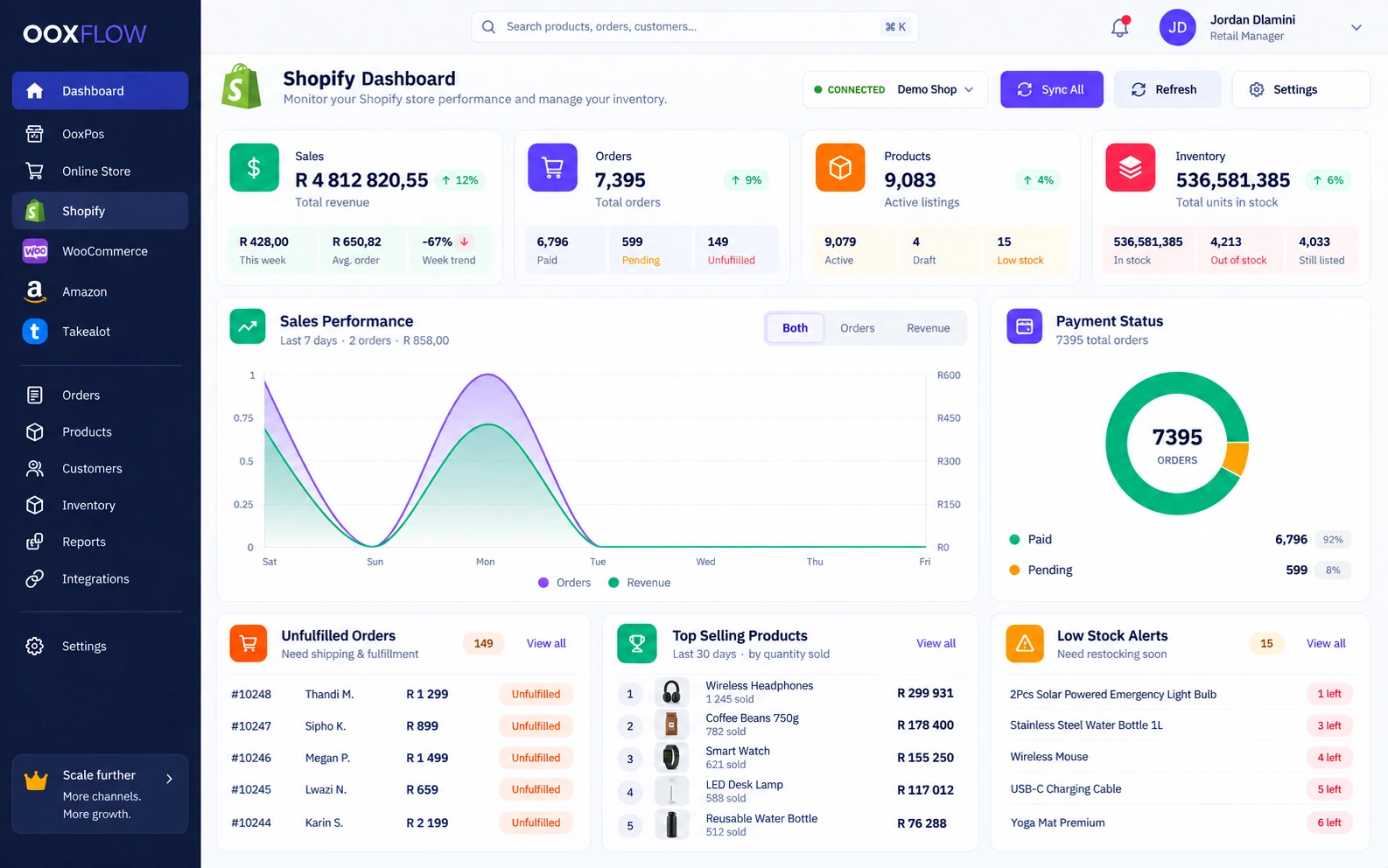
Check sales, top sellers, orders not sent and low stock. Review queued updates and failures. Keep imported orders separate from confirmed POS stock changes.
Connect when you are ready. Your POS, product history and other connected stores stay in the same account.
Use the same product list, stock records and reports for your daily work.
Send product titles, images, barcodes, prices and variants from the product records you manage.
Choose which POS locations supply each Shopify location. Send complete packs. Leave Shopify locations without links unchanged.
Import orders with customer and payment details. Use them to check delivery and reports.
Choose which Shopify sales channels show each product.
Preview and send many products together. Check progress and results in the sync log.
Connect several Shopify shops and manage them from the same OOXFLOW account.
See the tools you can use for daily sales and store tasks.
Match products and barcode-linked variants. Preview the products you want to send and follow progress for each one.
Upload from POS, CSV, a connected WooCommerce store or Takealot. Import Shopify collections, products and customer details.
Send stock from POS locations allowed to sell online. Round quantities down to complete packs.
Link each POS location to one Shopify location. Send its stock there. Leave Shopify locations without a link unchanged.
Choose the supported Shopify sales channels where each product appears.
Turn on rules to hide sold-out products and show them again when stock returns.
Read orders and customer details into the Shopify pages and reports. Keep order imports separate from confirmed POS stock changes.
Connect several Shopify stores. Each store keeps its own queued updates, progress and error records.
Connect through the app or follow the custom-app setup guide. Test the connection before turning it on.
See sales trends, orders not yet sent, top sellers and products with low or no stock.
Open imported customer and order records. See the payment and delivery details available.
If source stock cannot be read, leave Shopify stock unchanged and show the problem. Retry when the source works again.
Yes. Customers still shop on Shopify. OOXFLOW helps manage products, stock and imported orders.
Yes. Choose which POS stock locations supply each Shopify location.
Yes, when you turn on these rules. Products hide when unavailable and show again when online stock returns.
No. Importing updates the Shopify order record and dashboard. Confirmed POS stock changes use a separate job to update linked Shopify locations.
Yes. Choose channels for each product. Hide or show groups of products using the bulk tools.
The stock update leaves the Shopify quantity unchanged and shows the problem. Check the location links and source stock before retrying.
See the stock, reports and seller tools that support your online shops.
Manage locations, stock counts, transfers and buying. Choose which stock locations supply online orders.
Explore inventory and purchasingCheck sales, stock and costs. Choose the right channel and report for the numbers you need.
Explore sales and inventory reportsUse the optional add-on to approve sellers and products. Set commission and record manual seller payments.
Explore let other sellers use your storeChoose a plan. Add your products. Connect the stores you use.