 OnlinePOS.app
[email protected][email protected]Both addresses reach the same support team — email either one.
Start freeTools for your shop, in one place.
Manage the till, stock, buying, staff, online shop and marketplaces with one login and product list.
Made in South Africa. Built for the world.
 OOXFLOWSHOP STOCK
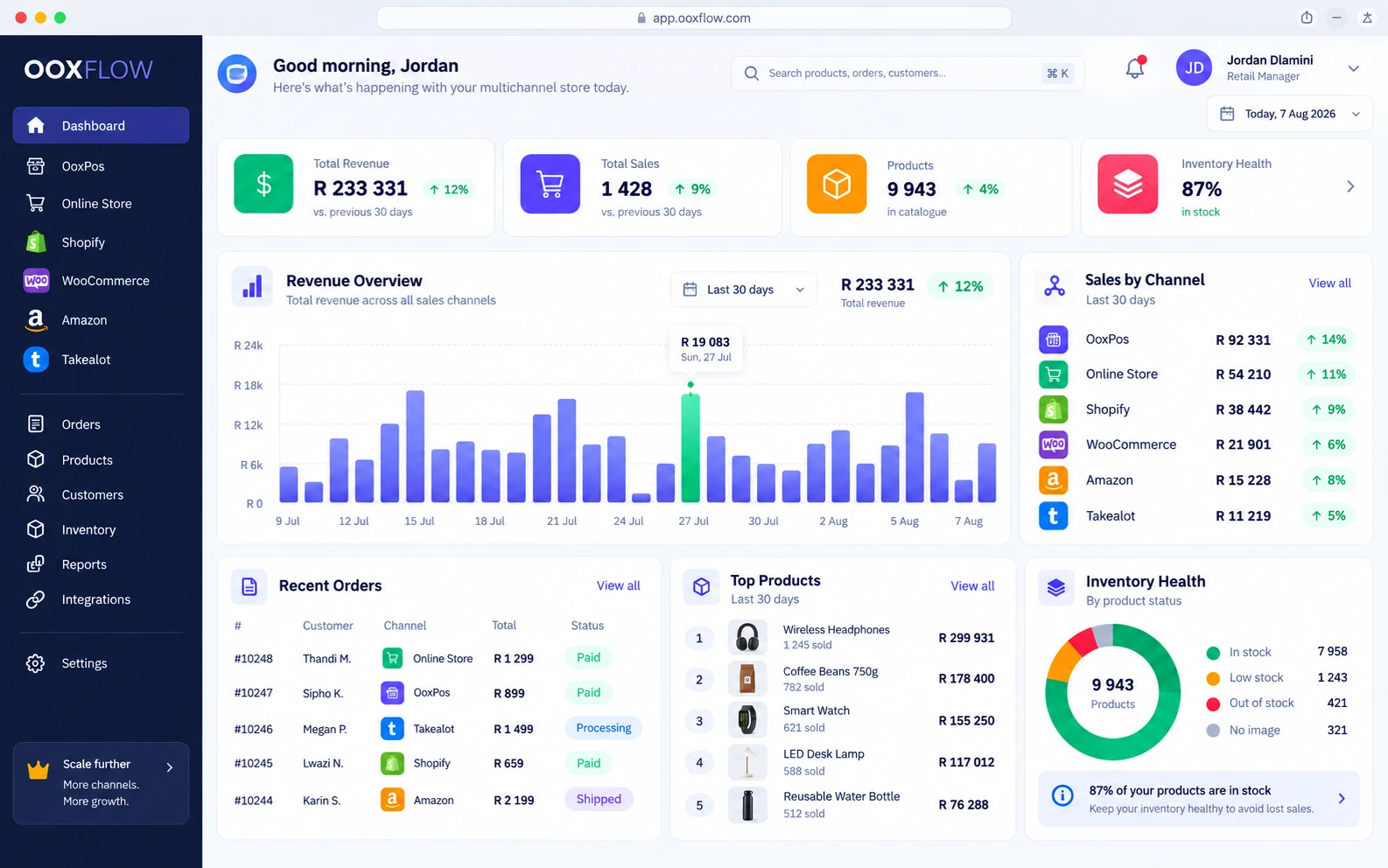
177 features in 14 groups · Key feature shows useful tools to look at first
Point of sale
Use the till in a web browser. Record card payments and use your own card machine.
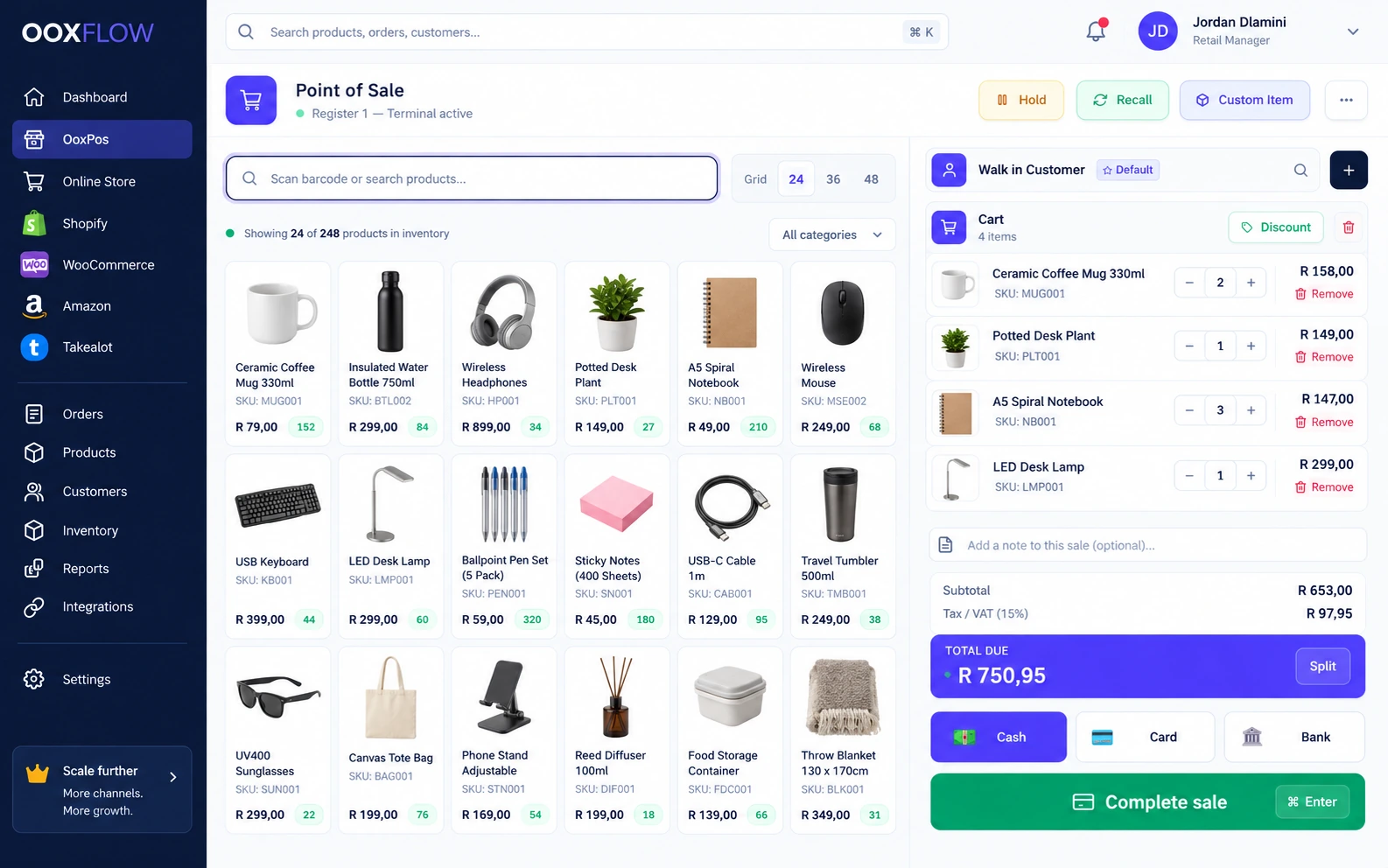
Browser till
Sell in a browser. Scan a barcode, search or tap a product.
Keyboard shortcuts
Use keyboard shortcuts. Open the help sheet to see the keys.
Cash, card, bank transfer
Record cash, card or bank payments. The till works out the change.
Split payment
Let a customer pay one sale using cash, card and bank together.
Hold and reopen a sale
Put a sale on hold. Open it again on the same device.
Custom item
Add a sale item that is not in your product list.
Item and sale discounts
Give a fixed or percentage discount on an item or the whole sale.
Discount limit + manager PINKey feature
Set a cashier discount limit. Larger discounts need a manager PIN.
Quantity pricesKey feature
Set lower prices for larger quantities. The right price applies automatically.
Pack / box barcodeKey feature
Scan a box barcode to add all the items in that pack.
Customer price groupsKey feature
Give wholesale or trade customers their saved price when they buy.
Attach or create a customer
Choose an existing customer or add one, including an Online Store shopper.
Per-product tax
Set tax for each product. The sale keeps the tax rate used for each line.
Branded PDF invoices and receipts
Create a PDF invoice or receipt with your business branding.
Offline tillKey feature
Use a device prepared while online to take cash sales offline. Send saved sales once after reconnecting.
Sell from another branchKey feature
See stock at other branches. Sell from another location or request a transfer.
Your online store
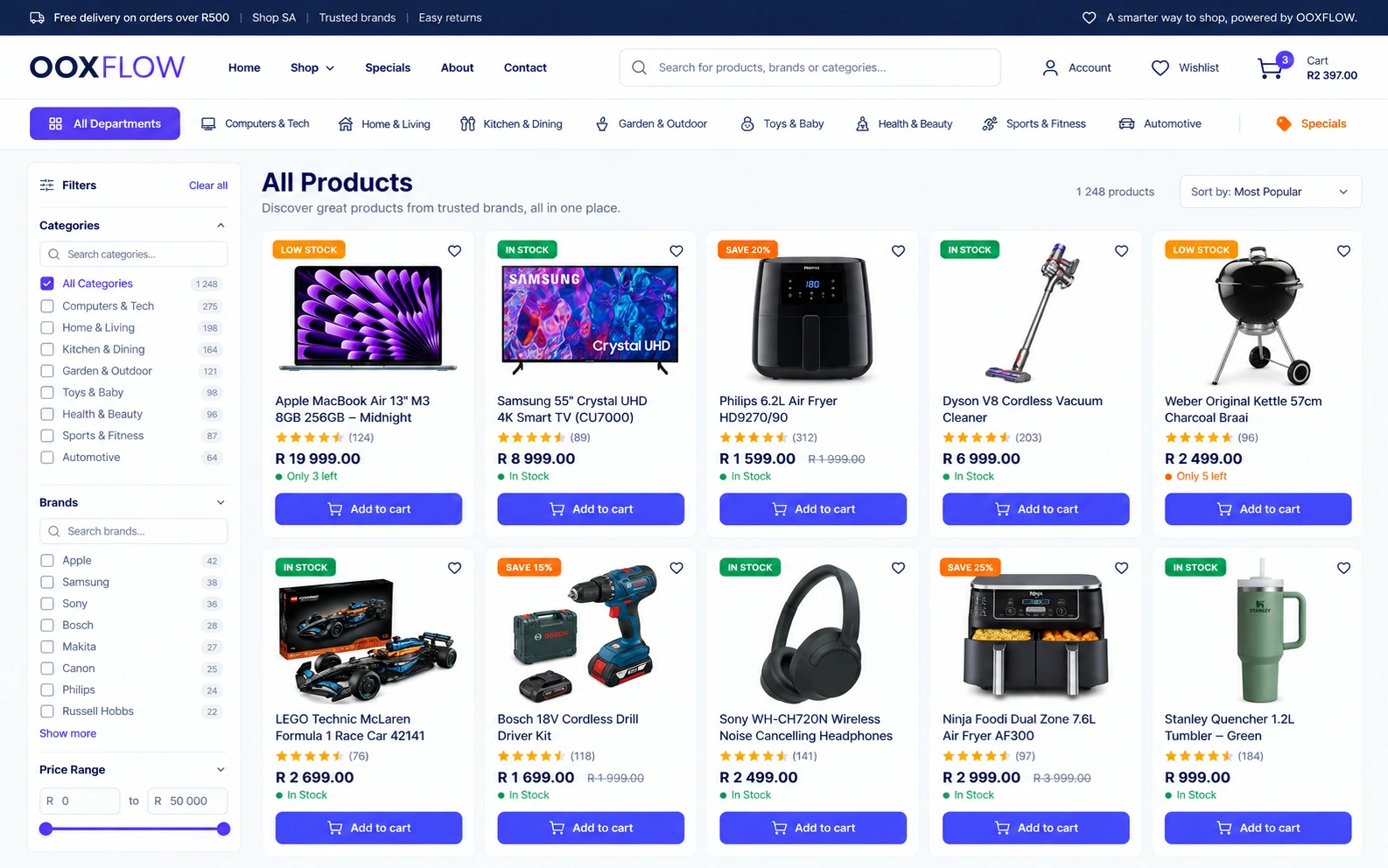
Build your website from POS products. Choose which products, prices and stock locations to use.
In South Africa, set up PayFast, Peach Payments or Bob Pay. Use Bob Go delivery quotes, shipping labels and tracking.
Shared products and stockKey feature
The till and website use the same stock records. Choose which location sends an order first.
Store themes and home designsKey feature
Choose a store style and home page design. Keep your content when changing supported themes.
Store setup guideKey feature
Follow the setup steps and preview the result on your store.
Draft, preview and publishKey feature
Save a draft and preview it privately. Use automatic backups, restore, undo and redo.
Logo colours and screen previews
Use colours from your logo. Check readable contrast and preview on phones and computers.
Choose page layouts
Choose page layouts and colours for the header, footer, shop, products, cart and checkout. Options depend on the theme.
Page builder
Build pages by adding and arranging ready-made sections.
AI page & policy writerKey feature
Use the policy guide and AI writing tools to improve your store pages.
Blog and information pages
Edit your blog, About, FAQ, Contact and page-not-found pages. Set menus, headers and footers.
Popups and store access
Add a cookie banner, newsletter form or recent-order popup. Use maintenance or invite-only mode.
Your store website address
Use your own website address or the store subdomain provided.
Branches & collection points
Show your branches and collection points. Let shoppers choose click and collect.
Check product details before listingKey feature
Choose what goes online. Products must meet your listing rules before you can list them.
Hide sold-out products and old stock countsKey feature
Enable hiding for sold-out items or products with old stock counts. You can show stock status without exact quantities.
Quantity & pack prices onlineKey feature
Use quantity and pack prices in the shopping cart and at checkout.
Wholesale prices for signed-in customersKey feature
Signed-in customers can buy at the prices set for their customer group.
Search, filters & smart picks
Help shoppers search and filter by category, brand or price. Show suggestions and daily deals.
Wishlist, compare, recently viewed
Let shoppers save, compare and revisit products. Show size guides and choose variants in the cart.
Reviews & product Q&A
Review customer reviews and product questions before showing them. Send review-request emails when enabled.
Checkout
Let shoppers buy as guests or sign in. Use saved addresses, a fixed mobile pay bar and cash on delivery.
Promo codes
Set fixed or percentage discounts, minimum spend, maximum discount, usage limits and dates.
Unpaid checkout attemptsKey feature
Keep unpaid card checkout attempts separate from orders. Send reminder emails only when enabled.
Customer accounts
Customers can see orders, tracking, addresses, messages and return requests. Google sign-in is supported.
Shipping rulesKey feature
Set flat delivery fees, free-delivery limits, basket-value bands and product-specific rules.
SEO dashboardKey feature
Check search visibility with SEO scores, PageSpeed, Safe Browsing, Search Console and IndexNow. Manage sitemaps and redirects.
Google Merchant Center pushKey feature
Send products to Google Merchant Center daily. Provide product feeds for Google Shopping and Meta.
Purchase trackingKey feature
Measure purchases with Meta Pixel, Conversions API, GA4, GTM and Google Ads. Apply the cookie-consent settings.
Store settings in one place
Manage business details, products, payments, delivery, tax, domain, email, customers, social login, support, SEO, tracking and policies.
Check if a product is ready to sell
Check listing quality, stock, price and visibility separately. A complete listing still needs stock and a price before customers can buy.
List one product or many
Find products by search, quality, category or brand. Add missing details, then list or unlist one product or many.
Product handler and last count
See who handles the product, its stock quantity and when someone last counted it.
Payment services and cash on delivery
Set up PayFast, Peach Payments or Bob Pay. Offer cash on delivery where supported. Shoppers see the methods you enable.
Check payments and unfinished checkouts
Check payments that still need proof. Keep unpaid checkout attempts separate from accepted orders and completed sales.
Orders from payment to delivery
Open an order to see the customer, items, payment and delivery details. Unpaid checkout attempts do not count as sales revenue.
Courier labels and tracking
Use Bob Go quotes, shipping labels and tracking after setup. Product size and weight help prepare parcel details.
Collection and delivery locations
Choose the stock locations that can supply online orders. Show collection points, contact details and opening hours.
Buyer return requests
Customers can request returns for your store-sold items when the return rules allow it. Review the request, then process any refund and stock return in POS.
Customer support and messages
Enable website chat in your store colours. Use AI answers or review drafts first. See which customers need a person.
Store sales and inventory reporting
Review Online Store sales with POS reports. Check stock, returns and payment details.
Store profit and costs
See profit from your products, any seller commission, delivery charges and payment fees. Missing costs and fees stay visible.
Courier charges versus actual cost
Compare delivery fees collected with courier costs paid. Add missing costs and see which amounts are estimates.
Payment fees by method
See payment fees reported by the payment service or estimated from your settings. A missing fee stays unknown.
Monthly profit and product performance
Compare sales and net profit over time. See product profit and results for each payment method.
Costs saved with each order
Known product costs are saved when an order is accepted. Check missing costs before trusting the profit total.
Add other sellers to your store
Enable the marketplace add-on for approved sellers, listing checks, commission, seller orders and payment records.
Shopify, WooCommerce & Amazon sync
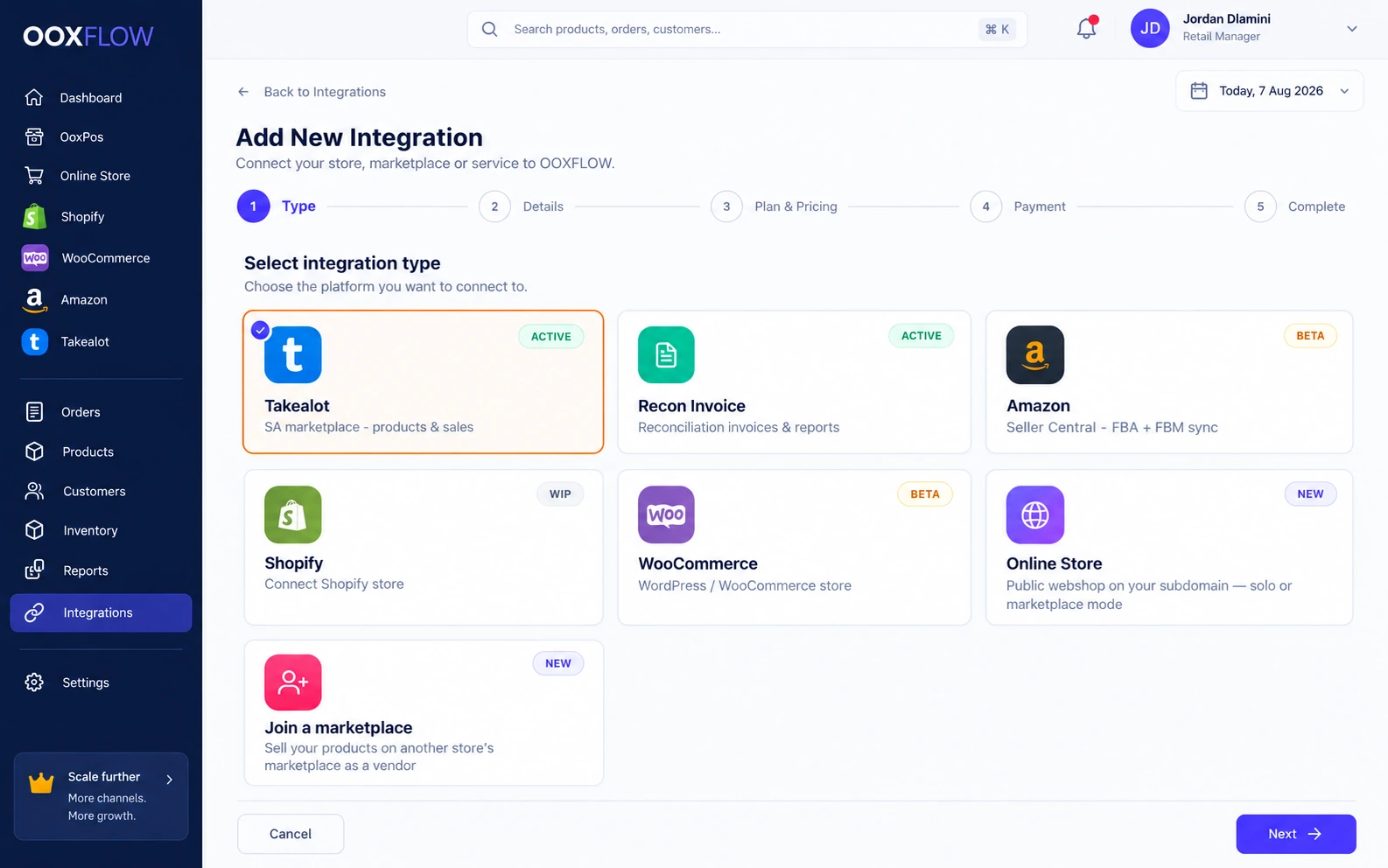
Keep one product list. Choose how each channel gets stock updates. Review imported orders separately from POS sales.
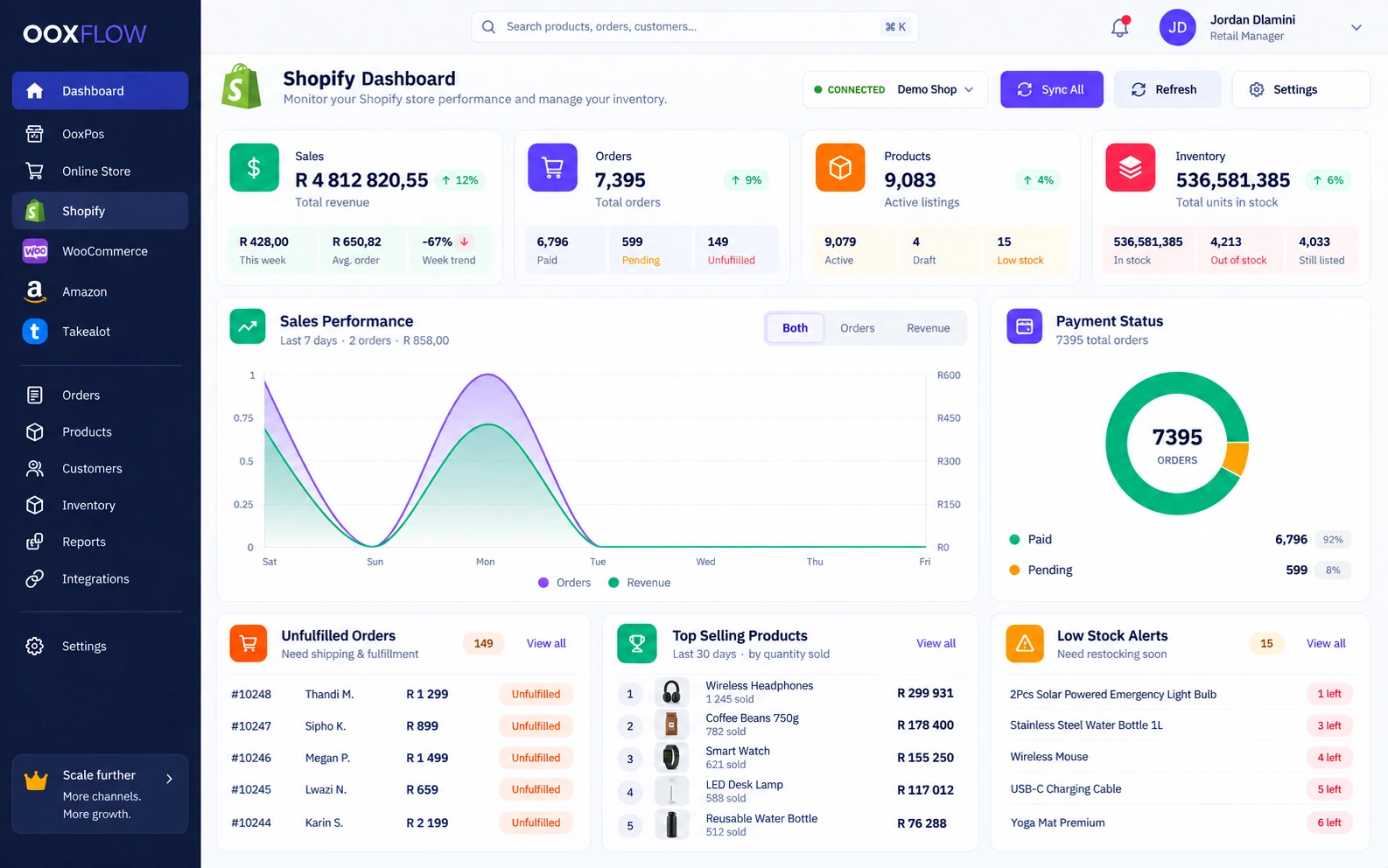
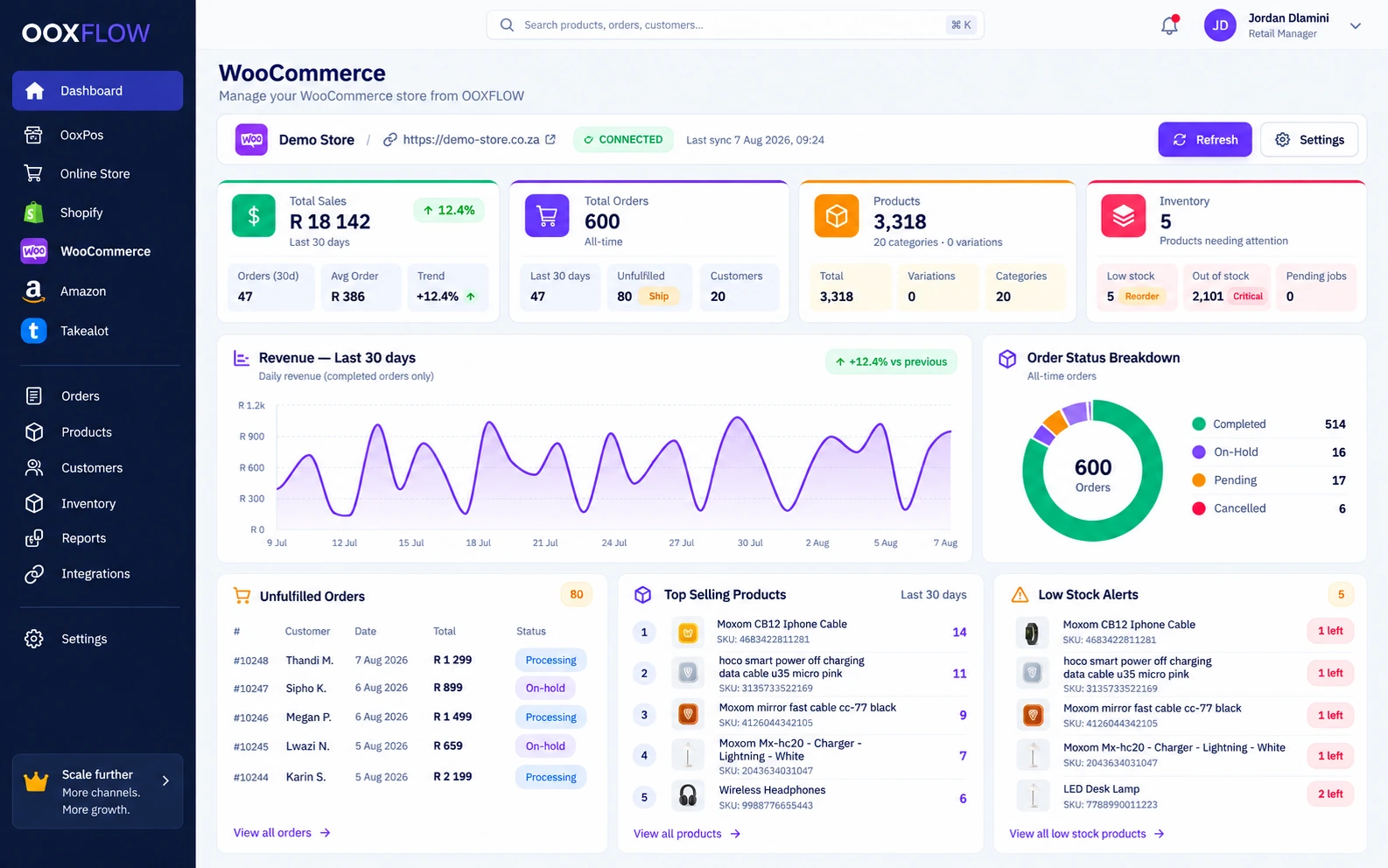
POS stock and product costsKey feature
Confirmed POS stock changes wait in a queue, then update linked channels. Imported orders are separate. Cost changes update linked product costs.
Shopify — several stores
Connect several Shopify stores. Sync products, orders, customers and collections. Send stock as complete packs.
Shopify location mappingKey feature
Choose which POS locations supply stock to each Shopify location.
Choose Shopify sales channelsKey feature
Choose the Shopify sales channels where each product appears.
Hide and show Shopify productsKey feature
Enable hiding when sold out and showing again after restocking. Hide or publish many products together.
Bulk upload to Shopify
Upload products from POS, CSV or another supported channel. Follow progress and check the sync log.
Connect WooCommerceKey feature
Use one-click connection or the API-key setup guide. Connect more than one WooCommerce store.
WooCommerce products and orders
Sync products, variations, orders, customers and categories. Send stock and match products by barcode.
WooCommerce automatic updatesKey feature
Check signed product, order and customer updates. Retry failed deliveries and review the result.
Amazon marketplacesKey feature
Connect supported Amazon marketplaces, including Amazon.co.za.
Amazon listings & orders
The current schedule reads listings every two hours and orders hourly. Check listing problems and sync results.
Amazon stock & prices
For FBM, where you send orders, update stock and prices. For FBA, where Amazon sends orders, read Amazon stock. Whole packs are supported.
Amazon fees and saved order costsKey feature
See estimated fees and final fees from Amazon. Keep the order’s saved goods cost as fees change.
Amazon reports and suggestionsKey feature
Check the overview, restock needs, Grow with FBA, POS links, listing problems, profit and slow-selling stock.
Update status and history
See what synced, when it ran and what failed for each channel.
Read more about Shopify, WooCommerce & Amazon sync
South African sellers: Takealot sync & repricing → Takealot page
Marketplace (add-on)
Let other sellers sell through your Online Store. You approve products and set the rules.
Turn your store into a marketplaceKey feature
Let approved sellers offer products through your Online Store.
Seller applicationsKey feature
Let sellers apply using your form and an email code. Collect identity documents and let them check the application.
POS businesses as sellersKey feature
Other POS merchants can sell on your marketplace using their own product and stock records.
Seller pages
Give sellers a page for products, orders, delivery, refunds, account records, withdrawals, reports, reviews and messages.
Seller staff logins
Let each seller add staff accounts for their own team.
Product approval rulesKey feature
Check text length, images, barcode, stock-count age and selling price against the recommended retail price (RRP).
Commission & fees
Use the category commission first, then the seller rule, then the default. Add other fees where needed.
Split orders and manual seller payments
Split orders by seller and create seller invoice PDFs. Pay sellers outside the app, then record the manual payout.
Refunds, discounts and seller requests
Handle seller coupons, product-change and category requests, bulk imports, refunds and policies.
Seller shop pages
Give each seller a shop page that customers can follow.
Marketplace emailsKey feature
Switch marketplace emails on or off and edit their text.
Owner and seller reports
Let the owner and each seller see reports for their own work.
Products & pricing
Keep products, prices, barcodes and images together. Set prices for wholesale customers too.
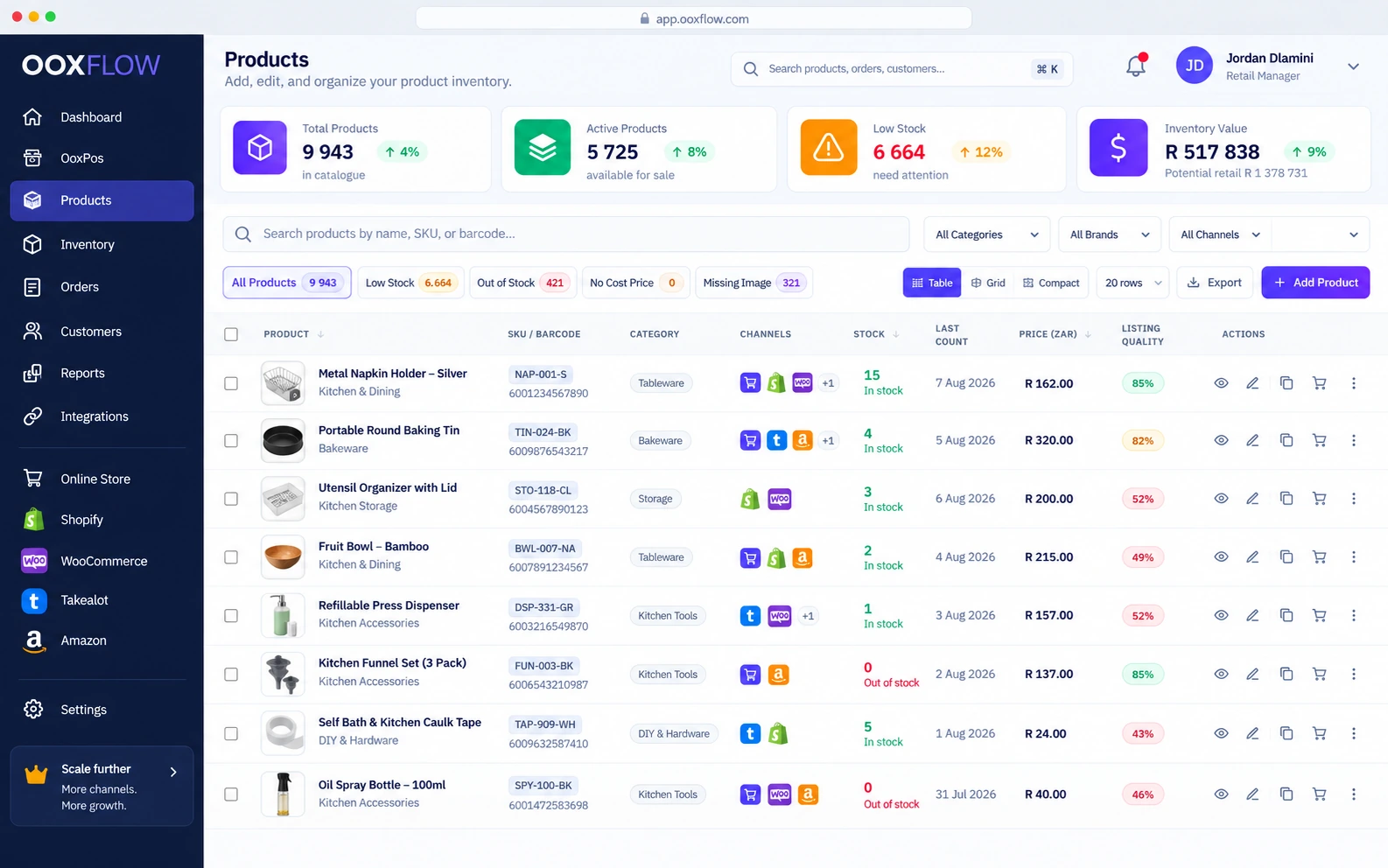
Product list views
View products in a table, grid or compact list, with summary cards.
Build and save filtersKey feature
Combine filter rules across more than 50 fields. Save a view to use again.
Quick filters
Find low stock, sold-out products, missing costs or missing images quickly.
Product options, such as size and colour
Use sizes and colours with separate stock, barcodes and recommended retail prices. Generate missing barcodes.
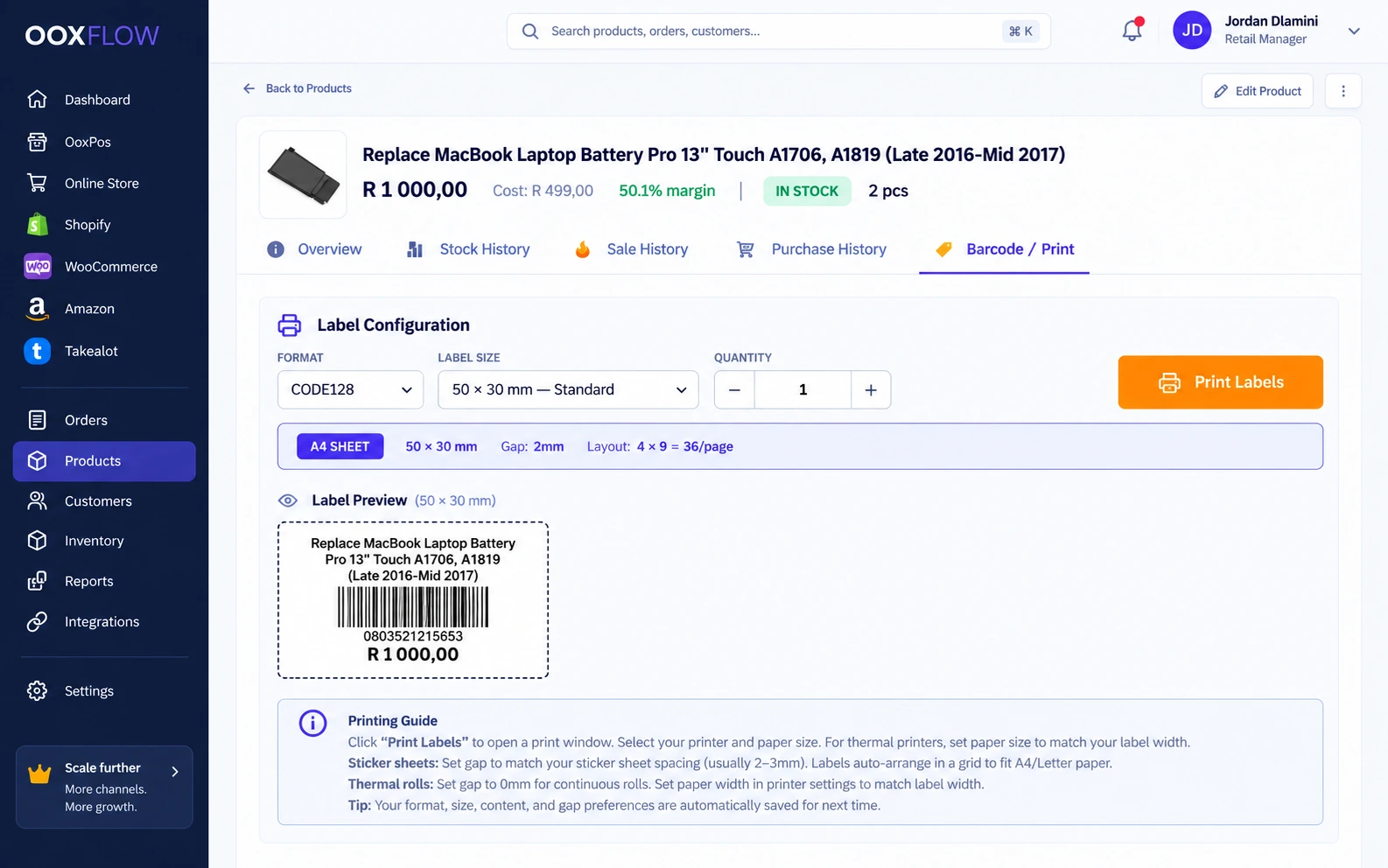
Label printing
Print CODE128 labels in supported sizes, including 80 mm rolls. Print for variants or purchase items.
9 images per product
Add a main product image and up to eight extra images.
Free image improverKey feature
Remove image backgrounds, enlarge images and make white-square or WebP images without a per-image fee.
AI product writerKey feature
Draft a title, description, search title and search description in Add or Edit. Compare, edit and apply selected fields, then save.
Listing-quality scoreKey feature
Check each product against the minimum title, description and image rules.
Size, weight & carton
Save product size, weight, box quantity, box price and box barcode.
Customer price listsKey feature
Set price lists with markup or profit-margin rules, rounding and manual changes.
Bulk price update
Change prices for a group of products together.
Categories & brands
Use category levels and brands. Start with the category library if needed.
Stop reorders or hide a product
Discontinued products can still sell but cannot be reordered. Disabled products stay hidden while their history remains.
Protected product removal
Use the protected removal process with a reason and recorded history. Stock must be zero first.
Expiry tracking
Mark expired products and check them in the expiry report and dashboard widget.
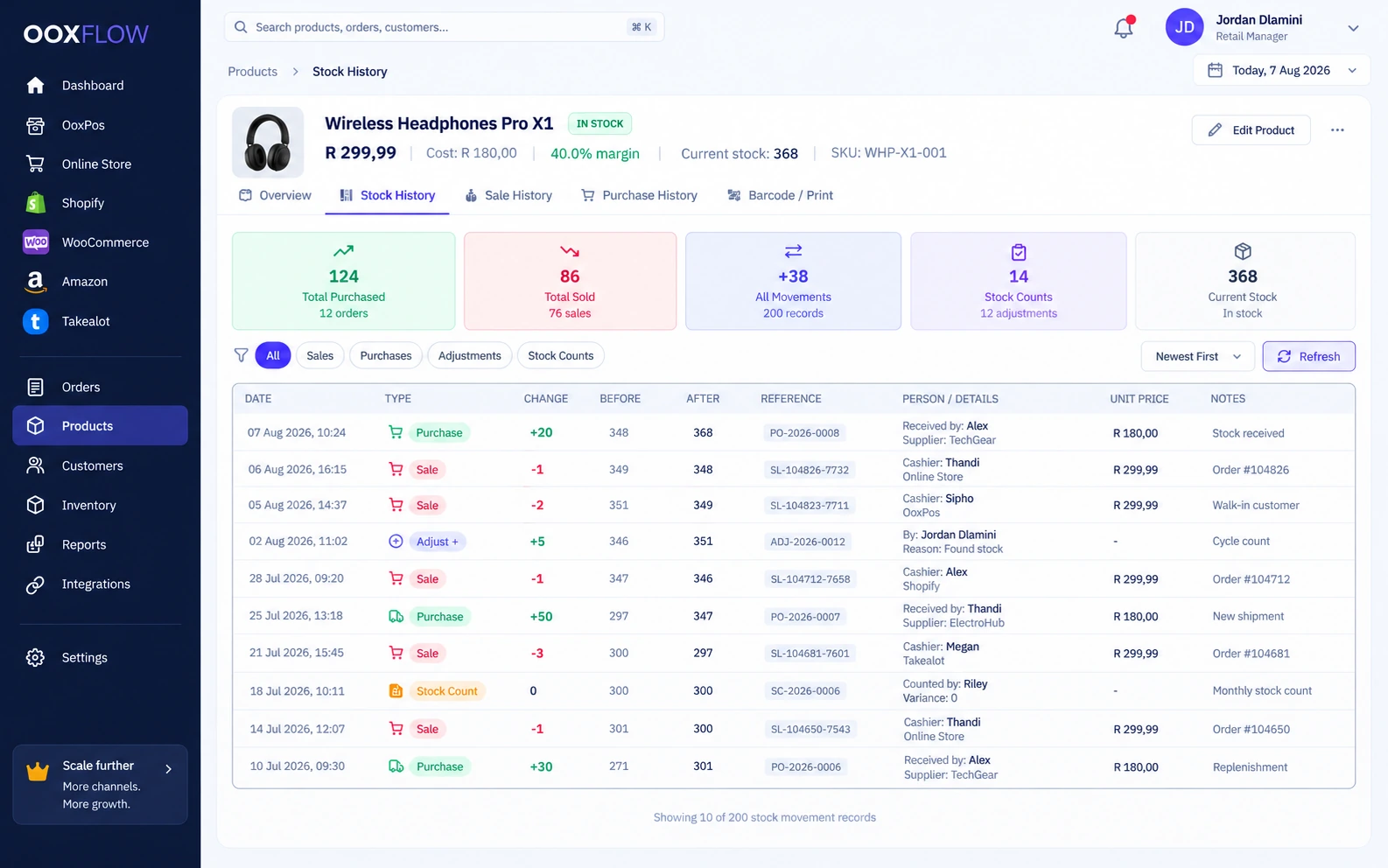
Product history
See the stock, sales and purchase history for each product.
Channel links per product
See and link the product’s Shopify, WooCommerce and Amazon listings.
Stock, locations & counts
Manage stock for one shop or several locations.
Multi-location stockKey feature
Keep separate stock quantities for shops, warehouses, vans and other locations.
Location set-up & staff allocation
Choose the staff who work at and can see each location.
TransfersKey feature
Request, approve and send a transfer. Receive it in parts and record any missing quantity.
Transfer suggestionsKey feature
See where one branch needs stock and another has spare.
Online stock by locationKey feature
Choose which locations supply online orders and which one supplies stock first.
Stock adjustments
Adjust stock with a reason, a saved movement record and a PDF.
Stock counts with approvalKey feature
Count, submit and approve each line. Every approved change gets its own numbered record.
Assign counts to staff
Give staff stock-count tasks that appear in their own task lists.
Count overdue productsKey feature
Create count tasks for products overdue for counting. Share the work across staff.
Blind counting
Let staff count without seeing the expected quantity.
Count sheets
Create Excel or PDF sheets for stock counting.
Racks & shelvesKey feature
Name racks and shelves. Require staff to use these locations on products and stock counts.
Rack labelsKey feature
Print rack labels that staff can scan while counting on a phone.
Stock handlersKey feature
Assign a person to each product or rack. Record when responsibility changes.
Stock history and last count
Keep every stock movement and the date of the last physical count.
Low stock & reorder levels
Set low-stock warnings and reorder levels for each location.
Purchasing & suppliers
Buy stock, receive deliveries and track what you owe suppliers.
Purchases
Receive a purchase to update stock and the product cost.
Purchase requestsKey feature
Let staff request items. Approve each product before buying.
Purchase orders
Create and track purchase orders on a computer or phone. Receive all items or only part.
Purchase reports
See spending, top suppliers, top products and sold-out items that need reordering.
Suppliers
Keep supplier contact details and see their purchase totals.
Money owed to suppliers
Track money owed to suppliers. Make part payments, pay oldest balances first and see overdue amounts.
My Tasks inboxKey feature
See counts, approvals, requests and support tasks in one task list.
Sales, quotes & invoices
Create quotes and invoices. See what customers have paid and what they still owe.
Invoices from the office
Create draft or final invoices. Record paid, pending or on-account sales. Make a PDF or email it.
Sales history
Search and filter past sales. Open a sale to see its details.
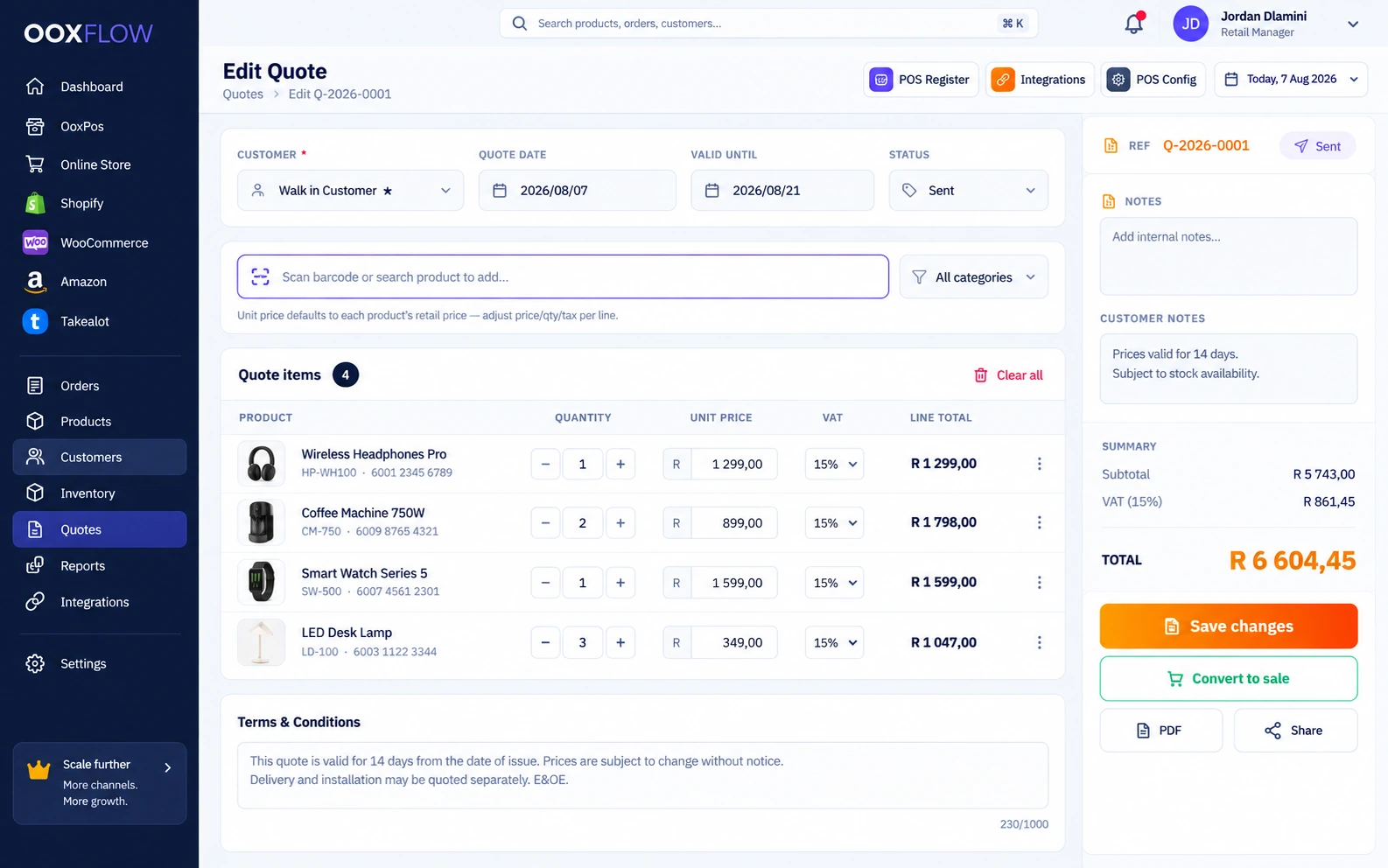
Quotes → sale in one click
Create and email a quote. Turn an accepted quote into a sale.
Quotes in the customer’s accountKey feature
Let customers see their quotes when signed in to your Online Store.
Branded document templates
Choose the design for your branded invoices and quotes.
Money customers owe
Track what customers owe. Record part payments, receive payments for several invoices and see overdue balances.
Returns
Link a return to the sale. Record the reason and refund method. Choose whether to put items back in stock. Review online return requests.
Shifts & cash
Know how much cash should be in the drawer. Compare it with the cash counted.
End-of-day cash-up
Open with a starting cash amount. Compare counted cash with the expected amount and record any difference.
Cash count without expected total
Ask staff to count cash before showing them the expected amount.
Cash movements
Record cash added, cash taken out, bank deposits and payouts.
Sales tied to a shift
Use a cash drawer for each location. Link each sale to its drawer and shift.
Shifts on the phone
Open and close a shift from a phone.
Team & permissions
Give each staff member a login. Choose what they can see and do.
Staff logins & permissions
Choose exactly what staff can do. Give or remove several permissions together.
Staff access by location
Let staff see only the locations assigned to them.
Customers
Save personal or business customers, VAT and registration numbers, price groups and the default customer.
Reports & dashboard
See sales, costs and stock by channel, product and staff member.
Dashboard
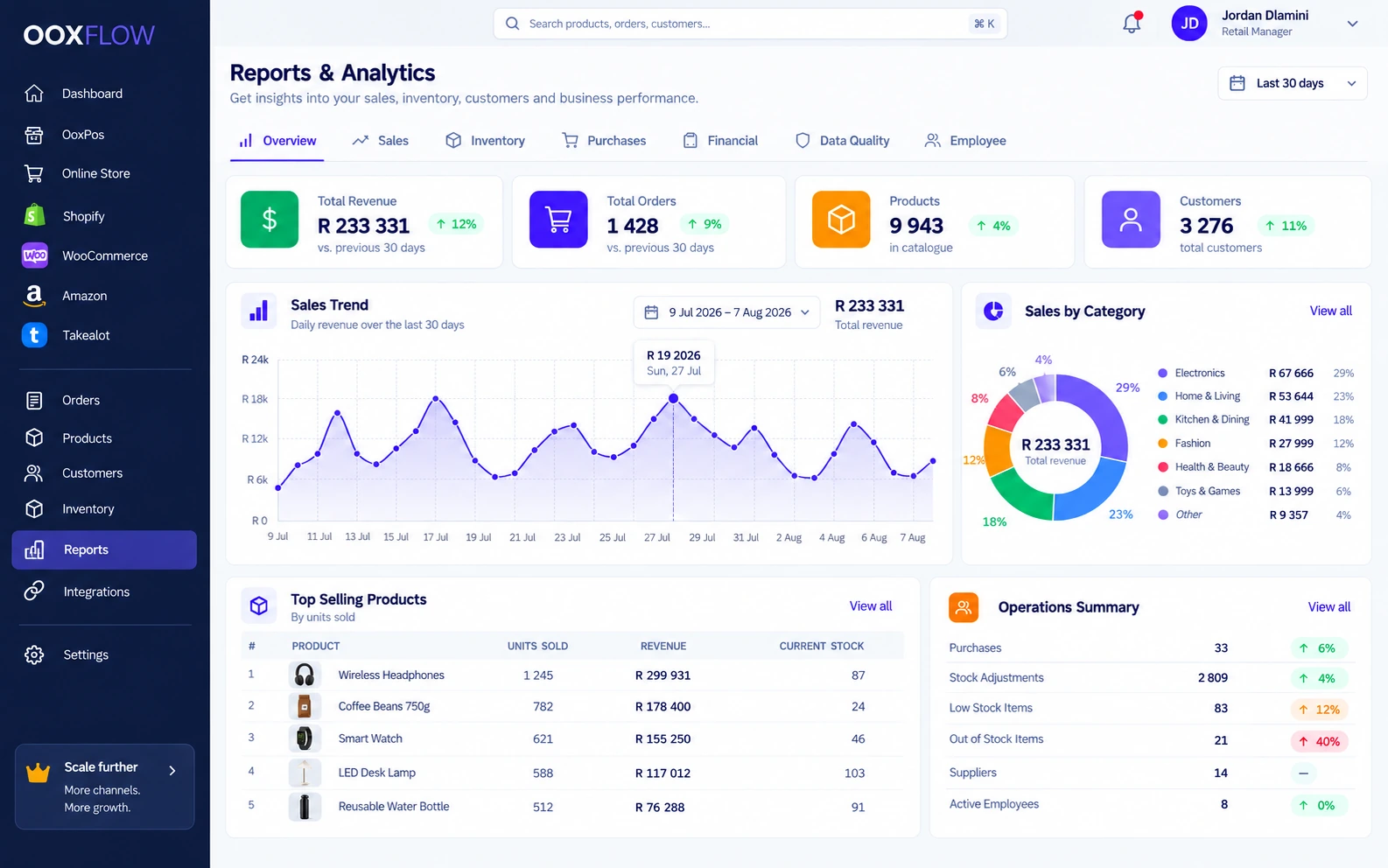
See POS and channel charts, stock health, items needing attention and My Day tasks.
Sales reports
View sales totals or break them down by product, category, customer or employee.
By-employee reportKey feature
See sales, counts and activity for each employee. Create a PDF with charts.
Money reports
Check tax, VAT, profit and loss, cash flow, supplier debts and customer balances.
Stock reports
Check stock value, age, slow sellers, sold-out items, movements, count dates and expiry.
Missing or unusual product detailsKey feature
Find duplicate products, similar images, unusual prices and missing details.
CSV export
Download supported report data as CSV to use outside the app.
Support desk & AI
Answer customer messages and website chats. Choose how AI replies and see which customers need your team.
One support inboxKey feature
See website chat, in-app messages, email and connected WhatsApp, Messenger or Instagram conversations in one support desk.
Email desk
Connect mailboxes and keep replies in the same thread. Set receipt emails and hold suspected spam. Reply from the incoming mailbox where set up.
WhatsApp connection
Connect your supported WhatsApp Business account. Set up the account details and reply within the allowed time.
Website chat
Turn on chat in your store colours. Customers can open, minimise and end it on phones or computers. The AI switch is separate.
AI assistant for shoppersKey feature
Answer from store products, stock, FAQs, policies, delivery, payments and locations. Check the customer’s identity before showing private order details.
Shared reply box
Use saved replies, checked AI drafts, tone changes, team notes and images or files. Each channel has its own attachment limits.
Reply targets and support reports
Set reply targets and track waiting customers, missed chats and reports. Follow the close and reopen rules. Customers awaiting your team stay visible.
AI reply draftsKey feature
Read and edit an AI answer before sending it. A tone rewrite changes the draft; a person still clicks Send.
Help assistant for your team
Ask the separate app helper how to use OOXFLOW. It uses the help documents and can attach the chat to a support ticket.
Off, draft or automatic repliesKey feature
Turn AI off, review drafts or allow automatic replies. Set each channel separately. New setups start with drafts; AI setup and limits apply.
Customers who need a person
See checkout problems, complaints, bulk enquiries, quotes and callback requests that need a person. Show the reason and send owner alerts when enabled.
Your instructions for the AI assistant
Give the assistant your business instructions. Keep FAQs, policies, opening hours and location details up to date.
Identity checks and order privacy
Use sign-in or identity checks for private replies and order lookups. An order number alone cannot reveal order details.
Show the product behind a chat
When someone chats from one of your product pages, show that product beside the message in the support desk.
Messenger and Instagram conversations
Connect supported Messenger and Instagram business accounts. Answer from the shared desk within the provider’s allowed reply time.
Support and AI results
See messages by channel and status, reply times, resolution times and missed work. Check what AI answered and what needed a person.
Staff follow-up for website chat
Customers whose identity is checked can receive staff replies in chat and email. Other guests receive private staff replies by email.
Clear limits for the chat robot
The robot gives information and asks the team for help. Staff use the normal tools to refund, cancel orders or change stock.
On your phone
Open the system in your phone browser. No app installation is needed.
Your daily tools, together.
Check sales on your phone.
Full system on the phoneKey feature
Use the till, prices, stock, counts, transfers, receiving, product photos, reports and shifts in a phone browser. Tablet layouts are supported.
Camera barcode scanner
Scan product barcodes using the phone camera in the browser.
Channel screens
Open Shopify, WooCommerce and Amazon pages on your phone.
Emails, import/export & account security
Send branded emails, move data in or out, and protect access to your account.
Branded emailsKey feature
Send branded emails that work in Outlook and dark mode, using your logo and colours.
Send from your own email address
Use your own SMTP email server or Resend, with a backup. Edit templates, check sent-mail records and manage unsubscribes.
Import & export with undoKey feature
Preview imports before applying them. Undo supported imports for seven days. Import products, customers, suppliers, categories and more.
Google sign-in & login protection
Use Google sign-in and login protection. The account signs out after eight idle hours.
Account closure and recoveryKey feature
Account closure uses a 15-day lock and a 30-day recovery copy.
Run your shop. Sell online too.
Choose a plan. Add your products. Connect the stores you use.