 OnlinePOS.app
[email protected][email protected]Both addresses reach the same support team — email either one.
Start freeYour shop and online sales.
Managed together.
Sell in your browser. Keep your products, stock and connected online stores in the same system.
Made in South Africa. Built for the world.
 OOXFLOWSHOP STOCK
Our new name
OOXFLOWSHOP STOCK
Our new nameBuilt around daily selling.
A shop may sell at the counter, on its own website and on marketplaces. The team still needs to know what is in stock, what customers have paid and what work needs attention.
OOXFLOW brings products, stock, purchases and customer records into one place. Each connected store keeps its own account, product links and update history. Your team can see where the information came from.
South African shops can use Takealot, supported local payment and delivery services, and VAT reports. You can also connect Shopify, WooCommerce and Amazon.
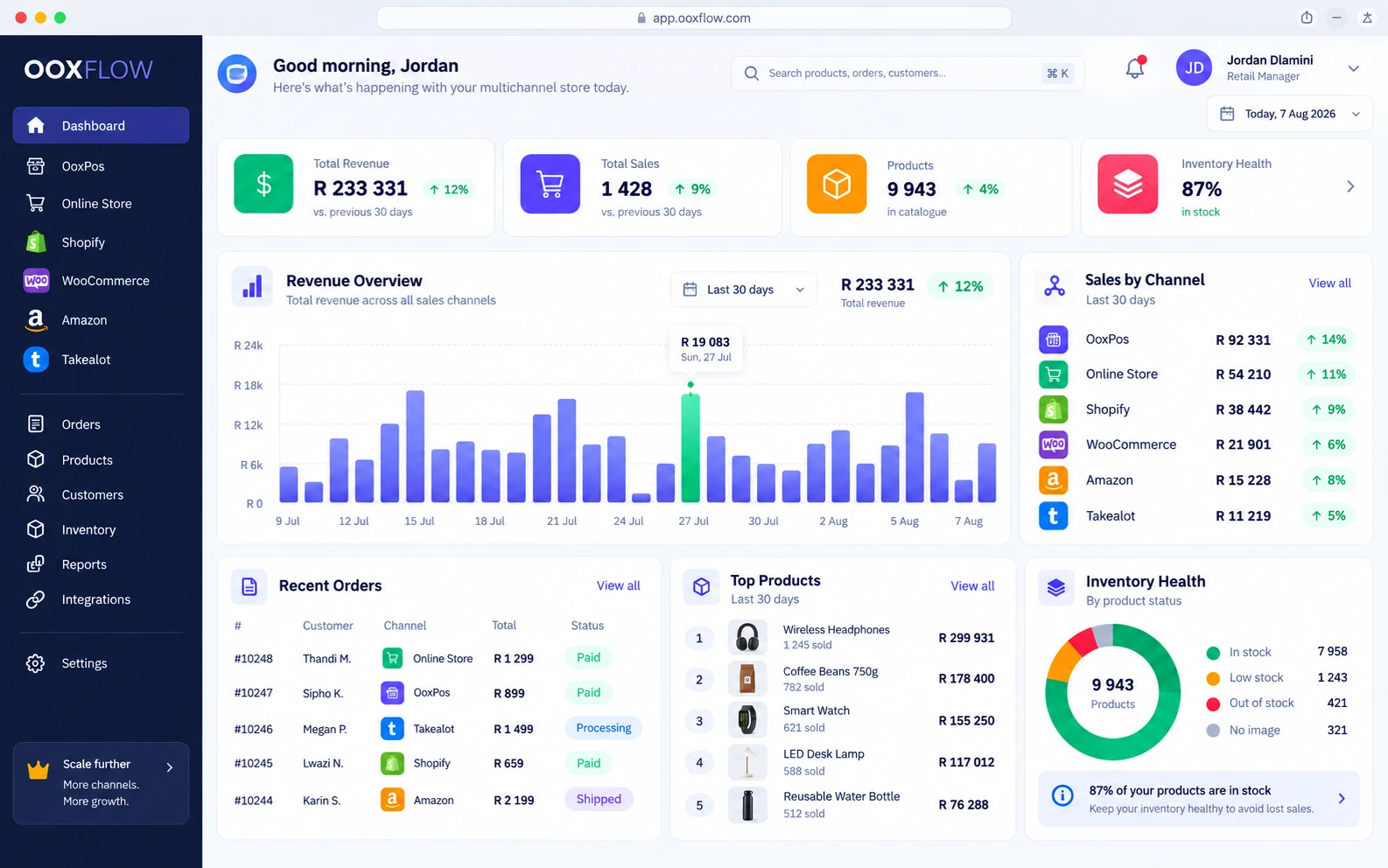
Keep track of your daily work
Find products, stock changes, documents and online sales in the same system.
Products
Product lists, variants, barcodes and prices
Stock
Locations, approved counts and stock history
Online sales
Connected stores and marketplace accounts
Reports
Sales, known and missing costs, and stock checks
Our values
Easy daily work
The tools may do a lot, but everyday shop tasks should still be easy to follow.
Clear information
See which costs are known, estimated or missing. Check your plan and add-ons before you sign up.
Connected sales
Keep shop sales, website orders and marketplace work linked to your products and stock.
A clear history
See update progress, results and failures. Use staff permissions and action history to follow the work.
Set up your till.
Then connect your stores.
Start with your products and stock. Add online stores and check the settings for each one.
Add your products
Products and POS
Add products, variants, costs and the stock locations that can supply online orders.
Connect Takealot
Takealot stock and prices
Import offers, sales and fees. Link POS products, choose stock settings and set limits before turning on Auto Price.
Connect Shopify
Shopify products and orders
Import store records, choose products to publish and link POS stock locations to Shopify locations.
Build your website
Your own Online Store
Choose products, check their details, set up payment and delivery, then preview and publish your store.
Connect more stores
WooCommerce and Amazon
Follow WooCommerce product and order updates. On Amazon, publish your own FBM stock and view FBA stock held by Amazon separately.
Run your shop. Sell online too.
Choose a plan. Add your products. Connect the stores you use.