
Integrations

Connected channels. Clear stock rules.

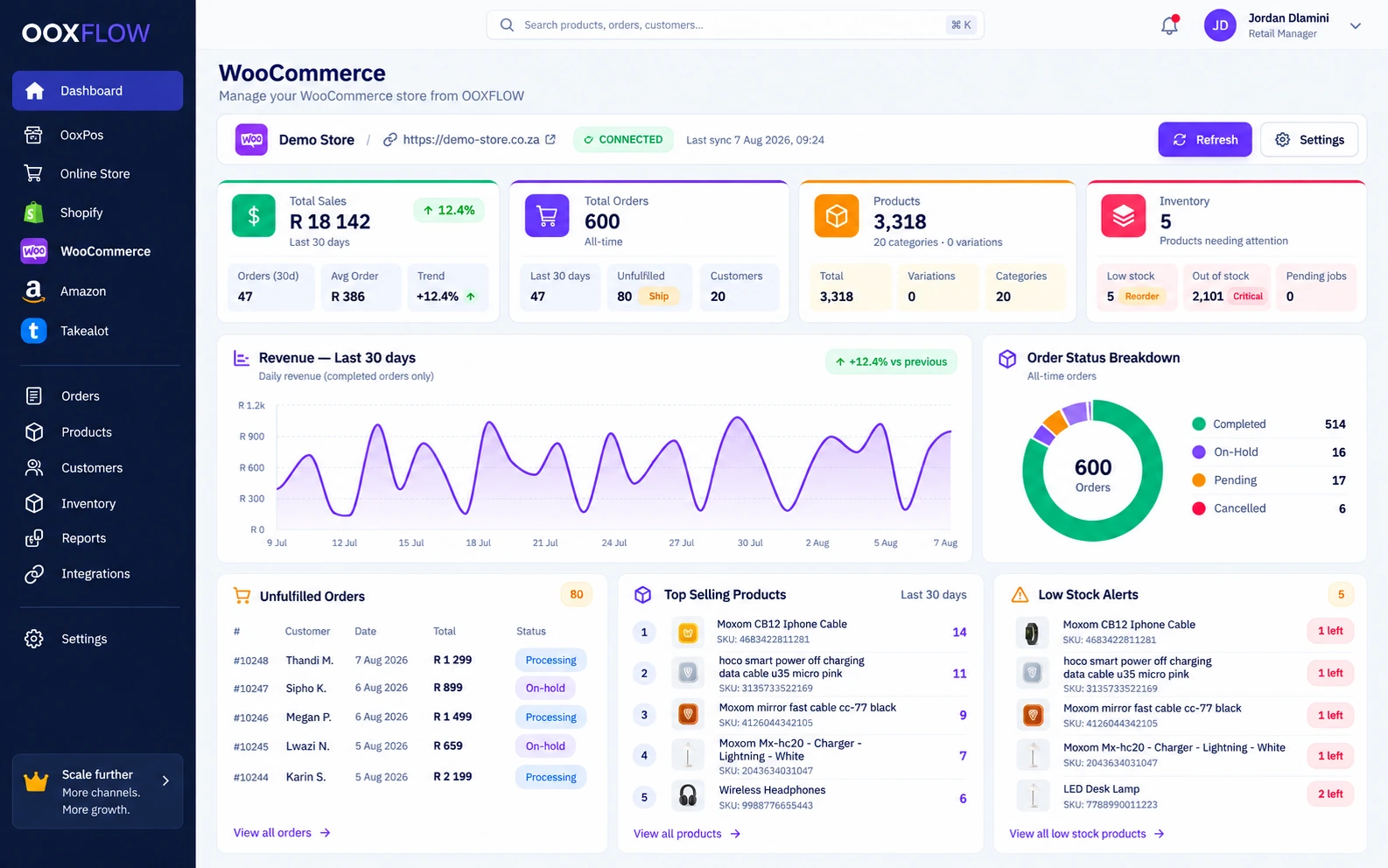
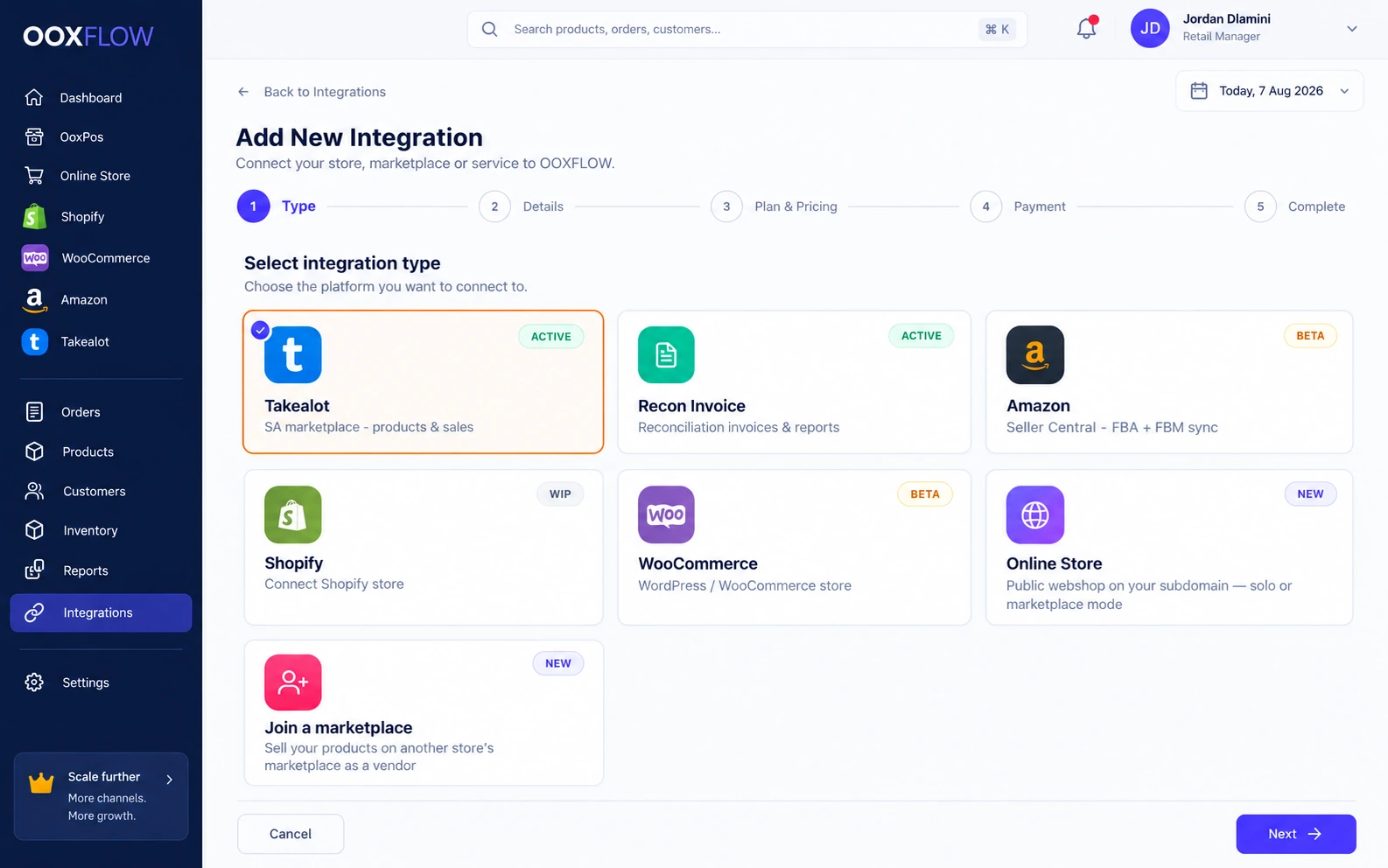
Connect your Online Store, Shopify, WooCommerce, Amazon and Takealot. Choose product links and stock rules for each shop.

Made in South Africa. Built for the world.

STOCK IN ONE PLACE6 stores connected
OOXFLOWSHOP STOCK
48available
Stock is up to date
Shopify
Available48
Up to date
Amazon
Available48
Up to date
Online POS
Available48
Up to date
tTakealot
Available48
Up to date
Online Store
Available48
Up to date
wooWooCommerce
Available48
Up to date
A paid sale at your tillStock updates use your chosen locations and pack sizes.
CONNECTED
Sample animation

Compare the main functions

Which connection does what?

Choose the tools you need for your shop. These are OOXFLOW connection functions. Other services may offer their own separate tools.

On a small screen, swipe the table sideways. With a keyboard, focus the table area and use the arrow keys.

Online Store, Shopify, WooCommerce, Takealot and Amazon: main functions
FunctionOnline StoreR299/month
per online store
ShopifyR199/month
per Shopify store
WooCommerceR199/month
per WooCommerce store
TakealotR499/month
per Takealot seller account
AmazonR199/month
per Amazon seller account
ProductsList POS productsImport and send products and variantsImport and send products and variationsImport and link offersImport and link listings
Sales and ordersYour store checkout ordersImport Shopify ordersImport WooCommerce ordersImport Takealot salesImport Amazon orders
Stock from POSShared store stock rulesSend to linked Shopify locationsSend linked stockSend linked stockSend FBM stock; read FBA separately
Price changesYour store pricing rulesSelected price updatesSupported product and variation updatesOffer prices and Auto PriceSelected FBM prices
Auto Price against competitorsNot suppliedNot suppliedNot suppliedEnable with minimum and maximum limitsNot supplied
Costs and reportsKnown product, payment, delivery and seller costsSales reports and linked product costsSales reports and linked product costsAvailable fees and saved product costsEstimated or confirmed fees and saved product costs
Customer informationStore customer accounts and ordersImported customer detailsImported customer detailsAvailable order details onlyLimited by Amazon permissions
Website chat and AI repliesWith paid Support setupNot suppliedNot suppliedNot suppliedNot supplied
Your own seller portalWith paid Marketplace add-onNot suppliedNot suppliedNot suppliedNot supplied

“Not supplied” means this OOXFLOW connection does not include that function. Sync means keeping supported information updated. Product links, chosen settings, schedules and the service response control each update. Imported external orders do not cause a second POS stock deduction.

FBM means you send the Amazon order. FBA means Amazon holds and sends it. Missing fees or product costs stay unknown. Takealot Auto Price needs enabled products and price limits; a sent price needs confirmation and cannot guarantee a winning offer.

See all prices and billing
Optional paid tools

Add sellers, support or claim invoices.

These are separate services. Marketplace and AI support & chat need Online Store. Recon Invoice can use a separate account.

Marketplace

R399/month per online store

  • Review seller applications before approving access.
  • Approve seller products and set listing rules.
  • Give sellers their own portal and team access.
  • Split customer orders into the correct seller portions.
  • Track seller deliveries to your store before final delivery.
  • Manage commission, coupons and refund requests.
  • Review payout requests and record manual payments.
  • View store and seller reports.

Requires Online Store, charged separately. Pay sellers outside the app and record the payment. Seller access protects private customer contact and address details.

See full details
AI support & chat

R199/month per online store

  • Add a branded chat box to your website.
  • Answer questions using your store products and policies.
  • Choose AI drafts, automatic replies or AI off.
  • Check identity before sharing private order information.
  • Send difficult questions to a person.
  • Connect supported email and social messaging accounts.
  • Use saved replies, team notes and supported attachments.
  • Track reply times and conversations needing attention.

Requires Online Store, charged separately. Set up each messaging account. AI replies cannot change orders, refunds, prices or stock.

See full details

Recon Invoice

R199/month per Recon Invoice account

  • Save your business and invoice details.
  • Choose invoice numbers, branding and a template.
  • Upload supported Takealot stock-claim files.
  • Check product lines, totals and unreadable rows.
  • Create a numbered invoice PDF.
  • Find previous invoices and download them again.
  • Use a separate Recon account or connect it with Takealot.

A separately paid stock-claim invoice tool. Upload a file and review it before creating a PDF. It does not automatically match Takealot payouts or update stock.

See Recon Invoice pricing
See how updates move

See what comes in, goes out and gets confirmed.

Sync means keeping product details and stock updated. Each store has its own rules. Check product links, stock locations, service replies and failed updates.

Read store and marketplace records

Read available product, order, customer and fee records from the store or marketplace. Reading an external order does not create a second till sale.

Send stock from linked POS locations

Confirmed POS stock changes wait in a queue before being sent. Use allowed locations, whole packs and complete combos. Check delays, failed jobs and replies from the store.

Separate Amazon stock and checkout payments

Read FBA stock held by Amazon separately from your own stock. Online Store orders deduct stock once payment is confirmed. Cash on delivery uses its own accepted-order step.

Built in R299/month per store

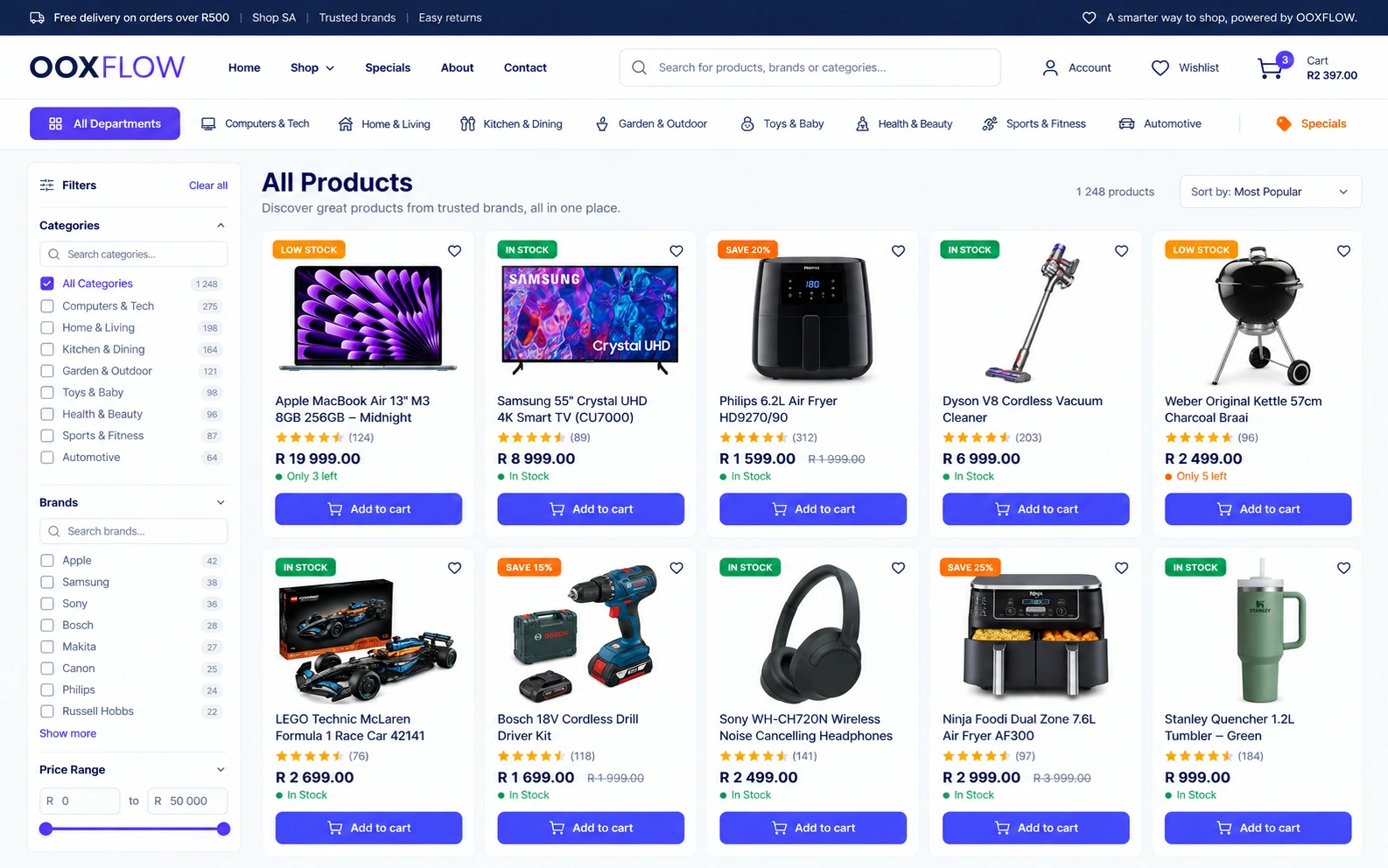
Your own online store

Build a shop from POS products. Check product details, stock and prices. Set up checkout, delivery and customer service.

Your own online store in OOXFLOW

Shared products and stockKey feature

The till and website use the same stock records. Choose which location sends an order first.

Store themes and home designsKey feature

Choose a store style and home page design. Keep your content when changing supported themes.

Store setup guideKey feature

Follow the setup steps and preview the result on your store.

Draft, preview and publishKey feature

Save a draft and preview it privately. Use automatic backups, restore, undo and redo.

Logo colours and screen previews

Use colours from your logo. Check readable contrast and preview on phones and computers.

Choose page layouts

Choose page layouts and colours for the header, footer, shop, products, cart and checkout. Options depend on the theme.

Page builder

Build pages by adding and arranging ready-made sections.

AI page & policy writerKey feature

Use the policy guide and AI writing tools to improve your store pages.

Blog and information pages

Edit your blog, About, FAQ, Contact and page-not-found pages. Set menus, headers and footers.

Popups and store access

Add a cookie banner, newsletter form or recent-order popup. Use maintenance or invite-only mode.

Your store website address

Use your own website address or the store subdomain provided.

Branches & collection points

Show your branches and collection points. Let shoppers choose click and collect.

Check product details before listingKey feature

Choose what goes online. Products must meet your listing rules before you can list them.

Hide sold-out products and old stock countsKey feature

Enable hiding for sold-out items or products with old stock counts. You can show stock status without exact quantities.

Quantity & pack prices onlineKey feature

Use quantity and pack prices in the shopping cart and at checkout.

Connected R199/month per connected store

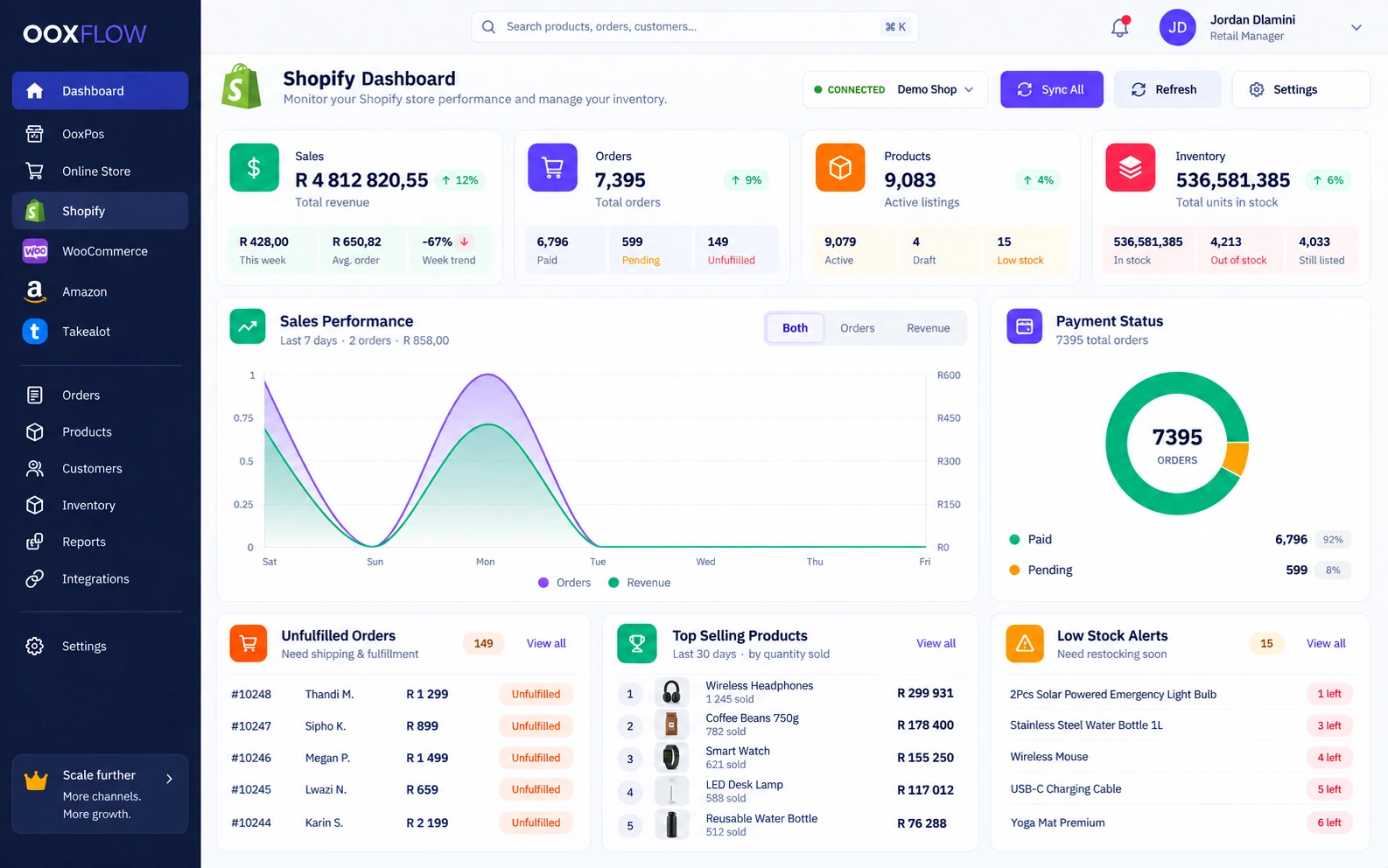
Shopify

Read products, customers and orders from Shopify. Send supported product changes and stock to the locations and sales channels you choose.

Shopify in OOXFLOW

POS stock and product costsKey feature

Confirmed POS stock changes wait in a queue, then update linked channels. Imported orders are separate. Cost changes update linked product costs.

Shopify — several stores

Connect several Shopify stores. Sync products, orders, customers and collections. Send stock as complete packs.

Shopify location mappingKey feature

Choose which POS locations supply stock to each Shopify location.

Choose Shopify sales channelsKey feature

Choose the Shopify sales channels where each product appears.

Hide and show Shopify productsKey feature

Enable hiding when sold out and showing again after restocking. Hide or publish many products together.

Bulk upload to Shopify

Upload products from POS, CSV or another supported channel. Follow progress and check the sync log.

Connected R199/month per connected store

WooCommerce

Keep your WordPress shop. Connect products, variations, customers and orders. Send stock or price changes and check automatic store updates.

WooCommerce in OOXFLOW

POS stock and product costsKey feature

Confirmed POS stock changes wait in a queue, then update linked channels. Imported orders are separate. Cost changes update linked product costs.

Connect WooCommerceKey feature

Use one-click connection or the API-key setup guide. Connect more than one WooCommerce store.

WooCommerce products and orders

Sync products, variations, orders, customers and categories. Send stock and match products by barcode.

WooCommerce automatic updatesKey feature

Check signed product, order and customer updates. Retry failed deliveries and review the result.

Connected R199/month per seller account

Amazon

Connect supported Amazon marketplaces, including Amazon.co.za. For FBM, update stock and prices for orders you send. For FBA, read stock Amazon holds.

Amazon in OOXFLOW

POS stock and product costsKey feature

Confirmed POS stock changes wait in a queue, then update linked channels. Imported orders are separate. Cost changes update linked product costs.

Amazon marketplacesKey feature

Connect supported Amazon marketplaces, including Amazon.co.za.

Amazon listings & orders

The current schedule reads listings every two hours and orders hourly. Check listing problems and sync results.

Amazon stock & prices

For FBM, where you send orders, update stock and prices. For FBA, where Amazon sends orders, read Amazon stock. Whole packs are supported.

Amazon fees and saved order costsKey feature

See estimated fees and final fees from Amazon. Keep the order’s saved goods cost as fees change.

Amazon reports and suggestionsKey feature

Check the overview, restock needs, Grow with FBA, POS links, listing problems, profit and slow-selling stock.

South Africa only R499/month per seller account

Takealot

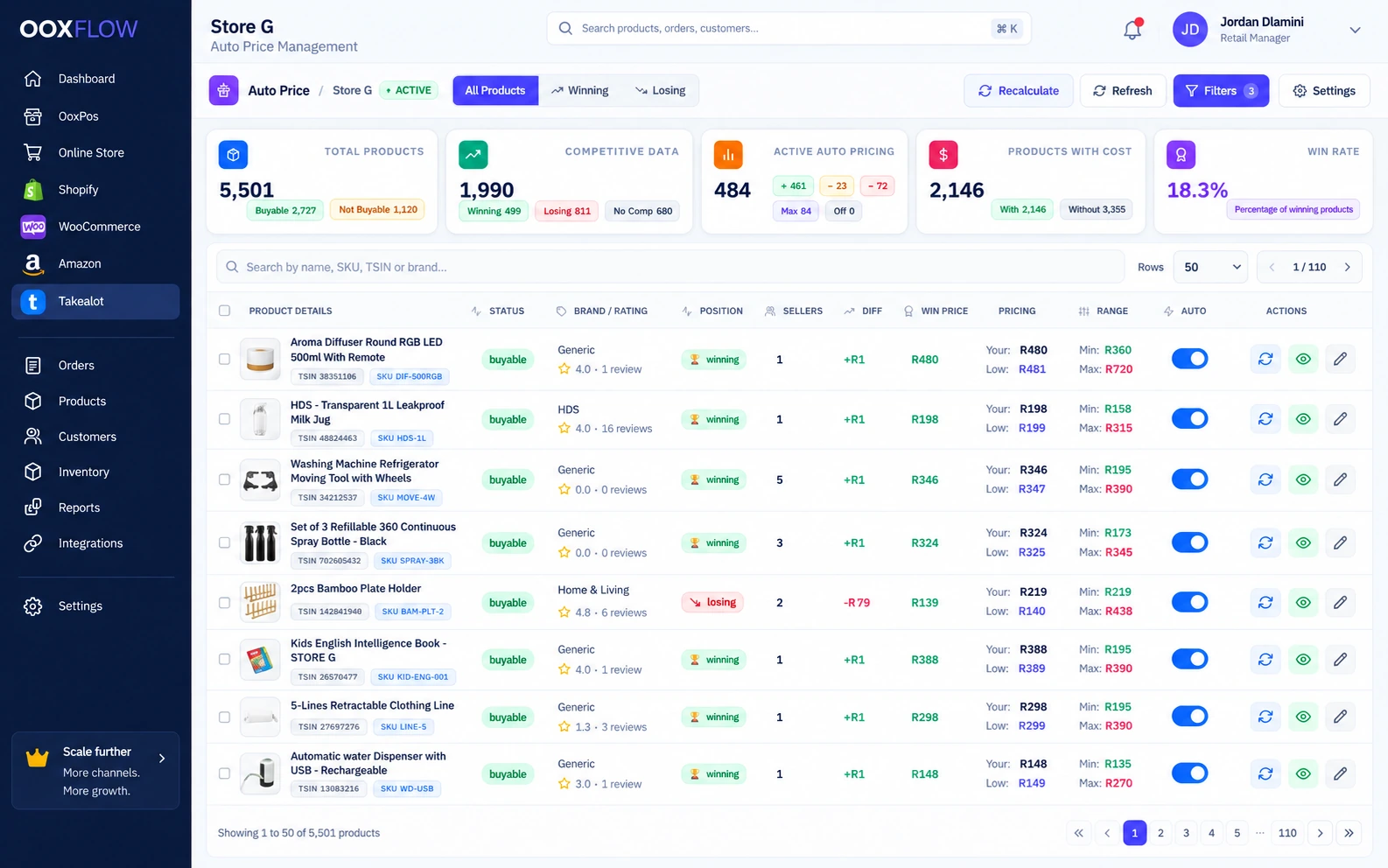
Read Takealot products, offers, sales and fees in OOXFLOW. Send linked POS stock, plan warehouse shipments and enable Auto Price within your limits.

Auto Price includes capacity for 200 products. Add 100 products of capacity for R200/month per block.

Takealot offers and repricing inside OOXFLOW

Read Takealot products, sales and fees

Read products, offers, sales and fees from the Takealot API. See import progress and problems before using reports.

Link products and update stock

Link Takealot offers and TSIN product numbers to POS products. Choose the stock locations and warehouses. Send quantities as complete packs or combos.

Auto Price: down and upKey feature

Set a price R1 below the rounded competitor price. Prices can move up or down within your chosen limits.

Minimum and maximum protectionKey feature

Keep cost, minimum and maximum price limits. A successful check finding no competitors can use your maximum-price rule. A failed check needs attention.

Check price update resultsKey feature

See the suggested price, queued update and price confirmed by Takealot separately. Takealot price confirmation does not guarantee the Buy Box.

Keep costs linked to POSKey feature

Linked offers use the POS product cost. Combo cost adds every required item cost. Missing costs stay unknown. Saved sale costs change only through a chosen re-cost action.

Profit after fees and deliveryKey feature

Estimate profit after commission, delivery and goods cost. The minimum and maximum pricing rules use their own calculation. Later fees can update past sale profit.

Stock suggestions and shipment fileKey feature

Use Insights to prepare a stock shipment file for Johannesburg, Cape Town and Durban warehouses.

Recon invoiceKey feature

Use this separately paid tool to upload a Takealot stock-claim file, check its lines and create a numbered invoice PDF. Find and download past invoices.

Takealot reports

Check stock, products, sales and profit in Takealot reports.

Compare stock and update it now

Compare POS stock with Takealot quantities. Find failed or missing updates. Turn on stock sync for linked products. Check racks and last-count dates before sending stock.

Plan stock for Takealot warehouses

Plan stock for JHB, CPT and DBN using sales and the stock needed for your target days. Check stock there, stock on the way, warehouse limits, whole packs and the chosen source.

Shipment, price and leadtime files

Upload the Takealot shipment file. Check suggested quantities and download the filled file. Create separate price and leadtime files; leadtime means days needed to send an order.

Purchase requests for low stock

Turn a stock shortage into a purchase request with a suggested quantity. Receive the purchase before planning the actual stock shipment.

Products customers cannot buy and slow sellers

Check missing POS links, low stock and listing status separately. Review low profit, returns, falling sales and slow sellers before making changes.

Missing sale costs and fees

Keep each sale’s saved goods cost. Update fees when Takealot supplies them. Show missing costs and fees so profit is not overstated.

More tools for your shop

Manage the work behind each sale.

Use stock, reports and seller tools as your shop grows.

Let other sellers use your shop

Use the optional R399/month add-on with an Online Store at R299/month per store. Approve sellers and products, set commission and manage seller orders. Pay sellers outside the app and record manual payouts.

See how it works

Run your shop. Sell online too.

Choose a plan. Add your products. Connect the stores you use.