Your website address and look
Use your own website address, logo, colours and a theme that fits phones and computers.
 OnlinePOS.app
[email protected][email protected]Both addresses reach the same support team — email either one.
Start freeBuild an online shop from your product list. Add your website address, checkout, delivery and customer service.
Made in South Africa. Built for the world.
 OOXFLOWSHOP STOCK
Payment confirmation moves stock once. An unpaid checkout does not.
A simple look at the main tools. Full details and setup steps are below.
Online Store has its own checkout. Stock follows payment or the accepted cash-on-delivery order step. Support and Marketplace cost extra.
Compare all connectionsConnect when you are ready. Your POS, product history and other connected stores stay in the same account.
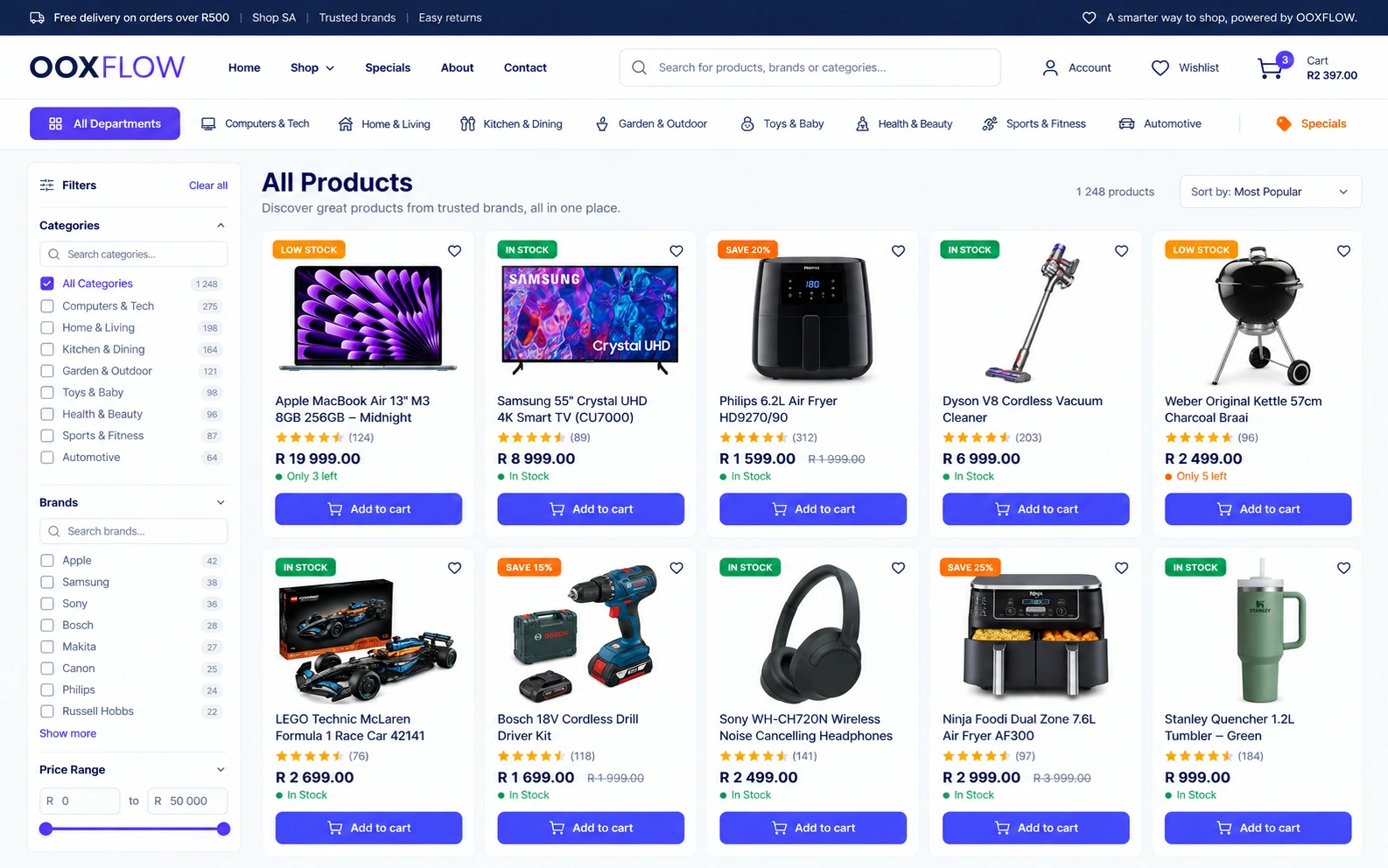
Use the same product list, stock records and reports for your daily work.
Use your own website address, logo, colours and a theme that fits phones and computers.
Choose which POS products appear online. The website and till use the same stock records.
Offer guest checkout, payment services and cash on delivery. Unpaid online payments do not hold stock. Confirmed payment creates the order and deducts stock once.
Preview a design privately. Publish when ready or restore a saved design.
Use promotions, blog posts, reviews, product questions, search tools and sales tracking.
Let approved sellers list in your store. Manage seller orders and payment records. Pay sellers outside the app, then record the manual payout.
See the tools you can use for daily sales and store tasks.
Choose a look for your store. Preview changes privately and publish when ready.
Choose a store style and home page design. Keep your content when changing supported themes.
Follow the setup steps and preview the result on your store.
Save a draft and preview it privately. Use automatic backups, restore, undo and redo.
Use colours from your logo. Check readable contrast and preview on phones and computers.
Choose page layouts and colours for the header, footer, shop, products, cart and checkout. Options depend on the theme.
Build pages by adding and arranging ready-made sections.
Use the policy guide and AI writing tools to improve your store pages.
Edit your blog, About, FAQ, Contact and page-not-found pages. Set menus, headers and footers.
Add a cookie banner, newsletter form or recent-order popup. Use maintenance or invite-only mode.
Use your own website address or the store subdomain provided.
Manage business details, products, payments, delivery, tax, domain, email, customers, social login, support, SEO, tracking and policies.
Choose what shoppers can see and buy. Check product details, stock-count dates, stock and prices separately.
Choose what goes online. Products must meet your listing rules before you can list them.
Enable hiding for sold-out items or products with old stock counts. You can show stock status without exact quantities.
Help shoppers search and filter by category, brand or price. Show suggestions and daily deals.
Let shoppers save, compare and revisit products. Show size guides and choose variants in the cart.
Check listing quality, stock, price and visibility separately. A complete listing still needs stock and a price before customers can buy.
Find products by search, quality, category or brand. Add missing details, then list or unlist one product or many.
See who handles the product, its stock quantity and when someone last counted it.
Help shoppers pay. Keep paid orders and accepted cash-on-delivery orders separate from unpaid checkout attempts.
Let shoppers buy as guests or sign in. Use saved addresses, a fixed mobile pay bar and cash on delivery.
Set fixed or percentage discounts, minimum spend, maximum discount, usage limits and dates.
Keep unpaid card checkout attempts separate from orders. Send reminder emails only when enabled.
Set up PayFast, Peach Payments or Bob Pay. Offer cash on delivery where supported. Shoppers see the methods you enable.
Check payments that still need proof. Keep unpaid checkout attempts separate from accepted orders and completed sales.
Open an order to see the customer, items, payment and delivery details. Unpaid checkout attempts do not count as sales revenue.
Choose which location supplies an order. Set delivery rules and offer parcel delivery or collection.
Show your branches and collection points. Let shoppers choose click and collect.
Set flat delivery fees, free-delivery limits, basket-value bands and product-specific rules.
Use Bob Go quotes, shipping labels and tracking after setup. Product size and weight help prepare parcel details.
Choose the stock locations that can supply online orders. Show collection points, contact details and opening hours.
Let customers see orders, leave reviews, ask questions and request returns.
Review customer reviews and product questions before showing them. Send review-request emails when enabled.
Customers can see orders, tracking, addresses, messages and return requests. Google sign-in is supported.
Customers can request returns for your store-sold items when the return rules allow it. Review the request, then process any refund and stock return in POS.
Enable website chat in your store colours. Use AI answers or review drafts first. See which customers need a person.
Help shoppers find your products. Check search results, product feeds and purchase tracking using the services you set up.
Check search visibility with SEO scores, PageSpeed, Safe Browsing, Search Console and IndexNow. Manage sitemaps and redirects.
Send products to Google Merchant Center daily. Provide product feeds for Google Shopping and Meta.
Measure purchases with Meta Pixel, Conversions API, GA4, GTM and Google Ads. Apply the cookie-consent settings.
Keep stock, prices and profit linked to the product records. Check actual costs, estimates and missing details.
The till and website use the same stock records. Choose which location sends an order first.
Use quantity and pack prices in the shopping cart and at checkout.
Signed-in customers can buy at the prices set for their customer group.
Review Online Store sales with POS reports. Check stock, returns and payment details.
See profit from your products, any seller commission, delivery charges and payment fees. Missing costs and fees stay visible.
Compare delivery fees collected with courier costs paid. Add missing costs and see which amounts are estimates.
See payment fees reported by the payment service or estimated from your settings. A missing fee stays unknown.
Compare sales and net profit over time. See product profit and results for each payment method.
Known product costs are saved when an order is accepted. Check missing costs before trusting the profit total.
Enable the marketplace add-on for approved sellers, listing checks, commission, seller orders and payment records.
Help shoppers get answers. See which customers need your team. Set website chat, AI replies and connected messaging accounts separately.
Turn on chat in your store colours for guests and signed-in customers. Shoppers can minimise it and return as they browse.
Answer from products, stock, FAQs, policies, hours, collection, delivery and payment settings. Check the customer’s identity before showing private order details.
Start with drafts for staff to review. Allow automatic replies by channel when ready. The owner controls AI settings and store instructions.
See checkout problems, complaints, bulk enquiries, quotes and callback requests needing a person. Show the reason and alert the owner when enabled.
Customers who pass identity checks can get staff replies in chat and email. Other guests get private staff replies by email. An order number alone cannot reveal order details.
Use saved replies, AI drafts, tone changes, team notes and supported attachments. Check reply times, missed work and AI results in support reports.
Connect supported email, WhatsApp, Messenger or Instagram accounts. Follow each service’s reply-time rules and AI limits. Staff use the normal tools for refunds, cancellations and stock changes.
No. It uses the same products, stock, customers and business records as POS.
Yes. Use your own website address or start with the address provided.
Yes. Customers can see their orders and tracking in their store accounts.
An unpaid online checkout does not hold or deduct stock. Confirmed payment deducts stock once. Cash on delivery has a separate accepted-order step, with payment still due. Delivery-status changes do not deduct stock again.
Check product details and whether a shopper can buy separately. Images, barcodes, variant links, online stock and count dates can affect visibility. A parent product shows stock from its variants.
Yes. Choose the design, preview it privately and publish when ready. The available controls depend on your theme.
Set up PayFast, Peach Payments or Bob Pay, plus cash on delivery where supported. Shoppers see the methods available for their checkout.
Yes. Signed-in customers can request a return when the rules allow it. Staff review it, then process any refund and stock return through POS.
Yes. Owner Insights includes known goods costs, delivery costs, payment fees and any seller commission. Missing costs remain visible. Estimates are shown separately from recorded charges.
Yes, with the separate marketplace add-on. Add approved seller products, listing rules, seller orders, commission and manual payout records alongside your own products.
Yes. Turn on chat in your store colours. Set the AI reply mode separately. It uses store FAQs, policies, products and permitted order details. Staff see complaints, checkout problems and sales enquiries needing a person.
Yes. New AI setups start with drafts for staff to check. Staff can review answers and tone changes before sending. Owners can enable automatic replies by channel. AI setup, confidence checks and limits apply.
Staff use the normal tools for refunds, cancellations and stock changes. The robot explains store policy and flags requests for a person.
See the stock, reports and seller tools that support your online shops.
Manage locations, stock counts, transfers and buying. Choose which stock locations supply online orders.
Explore inventory and purchasingCheck sales, stock and costs. Choose the right channel and report for the numbers you need.
Explore sales and inventory reportsUse the optional add-on to approve sellers and products. Set commission and record manual seller payments.
Explore let other sellers use your storeChoose a plan. Add your products. Connect the stores you use.